VoiceVow
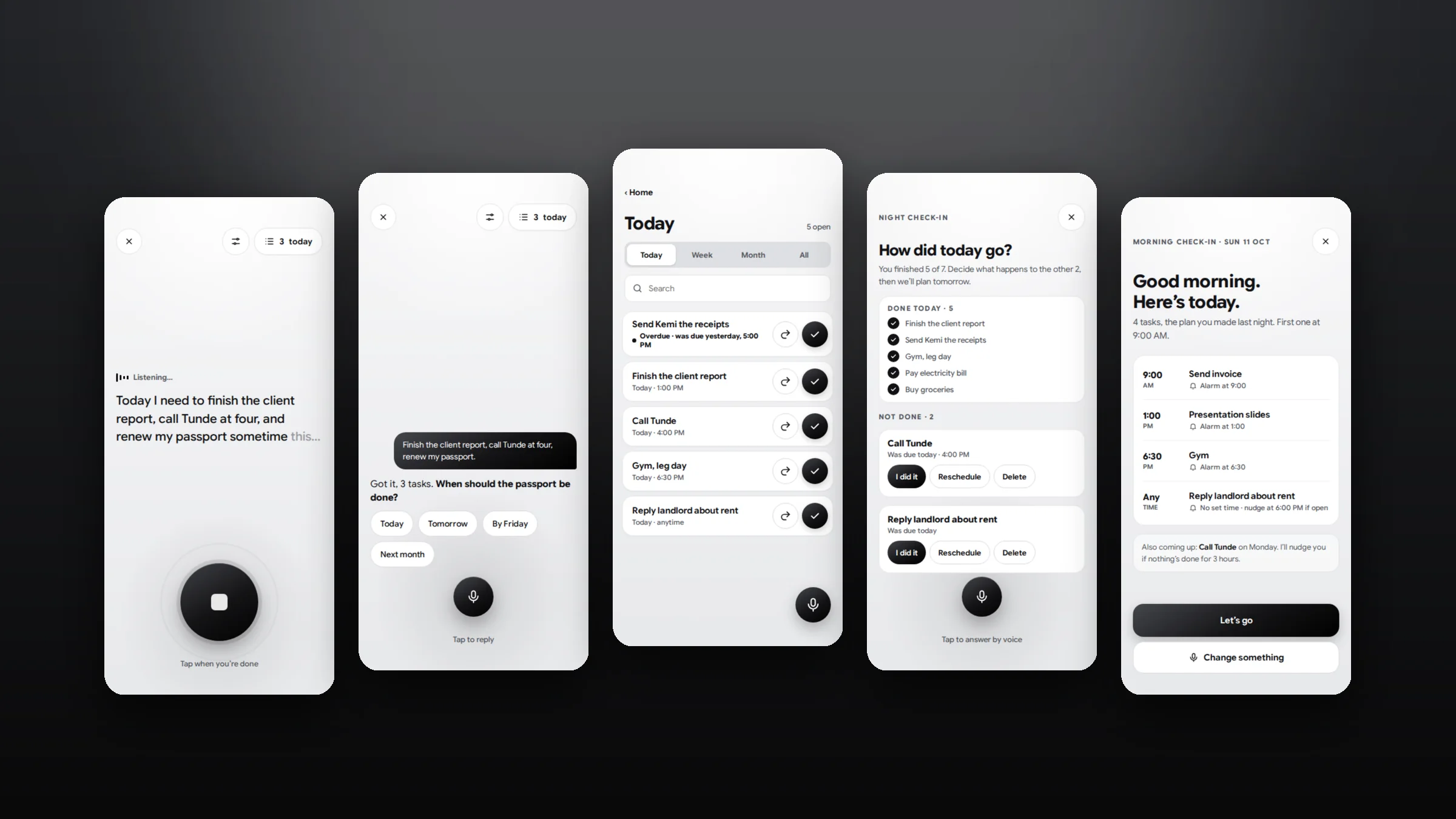
A voice-first to-do app for iPhone that acts like an accountability partner. You say your plans, it turns them into tasks with deadlines, reminds you, and checks in morning, day and night.
Overview
I make plans at night, around 9pm, and forget them by morning. Typed to-do lists are easy to ignore, and nothing follows up. I wanted a working buddy that asks “Have you done this?” and nudges me when nothing gets done. So I designed one.
Lists don’t hold you to anything
A typed list waits quietly. Plans slip, and nobody asks why.
Say it, then keep it
Speaking a plan should be enough. The app sets the deadline, reminds you, and checks back.
Easy to start, hard to ignore
It has to earn trust in the first minute, then stay useful every day without turning into noise.
UX and adoption constraints
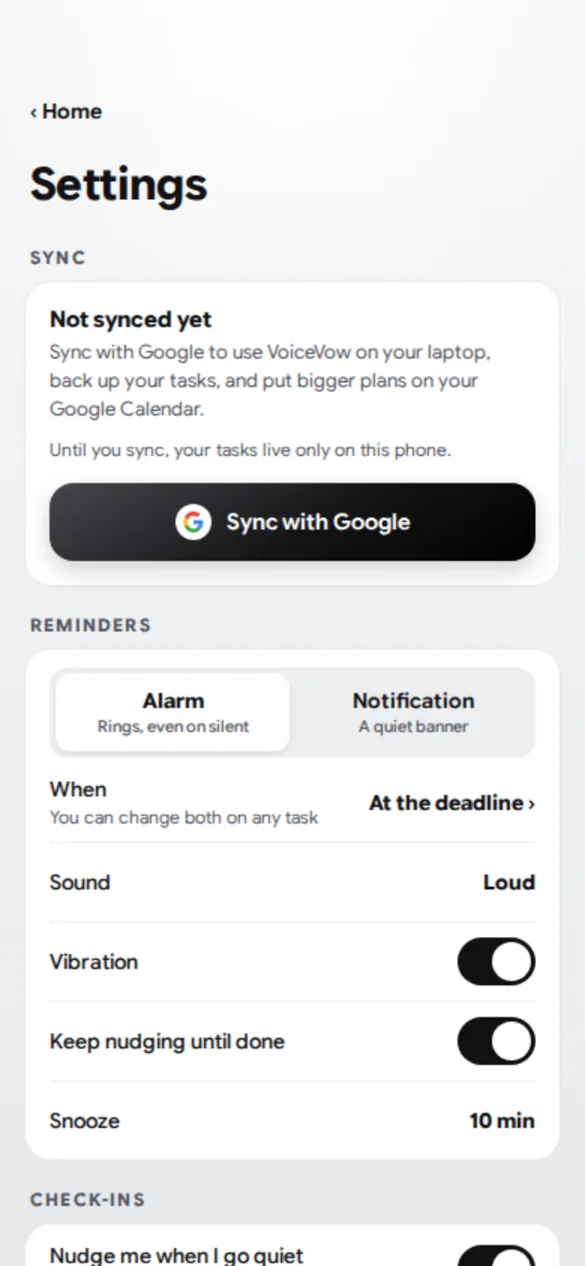
- No sign-up wallSign-up screens are a common place for people to drop off, so there is no account to create. Syncing with Google is optional and can be skipped, and the app says plainly that unsynced tasks stay on the phone.
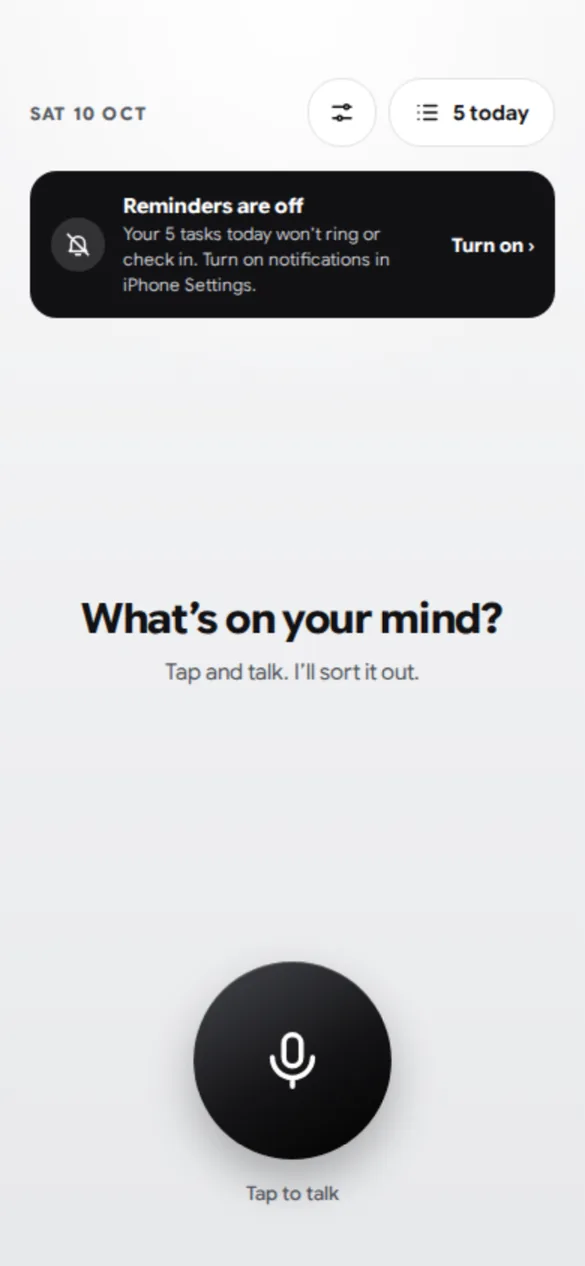
- Permissions can be refusedMicrophone and notifications are both skippable. The app still works by typing, and a banner explains what’s missing when reminders are off.
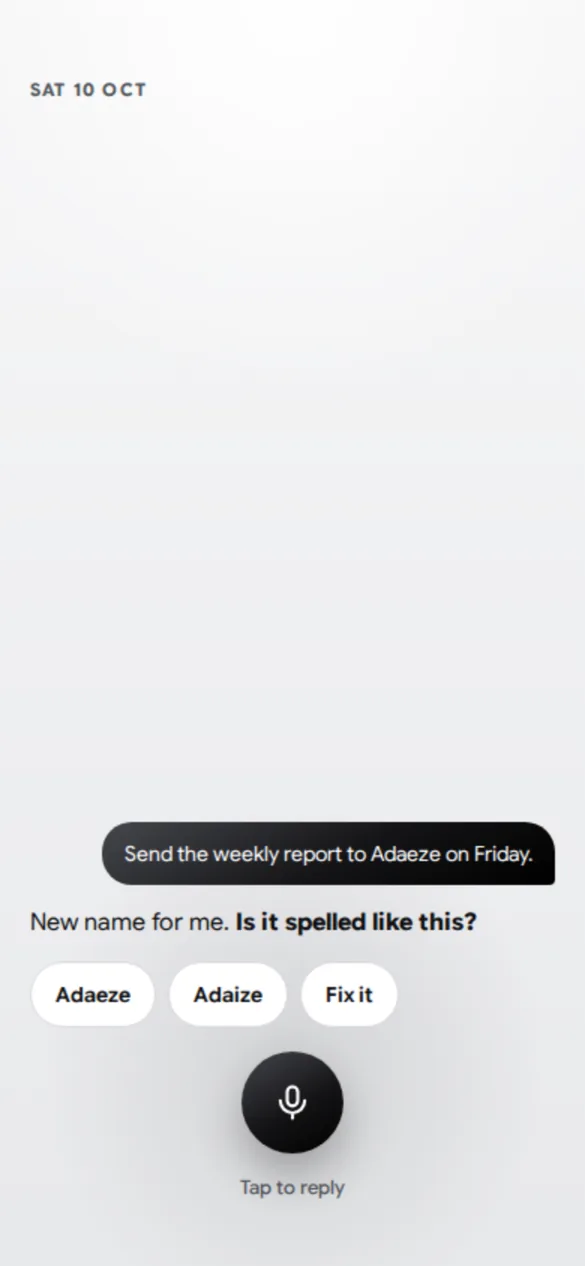
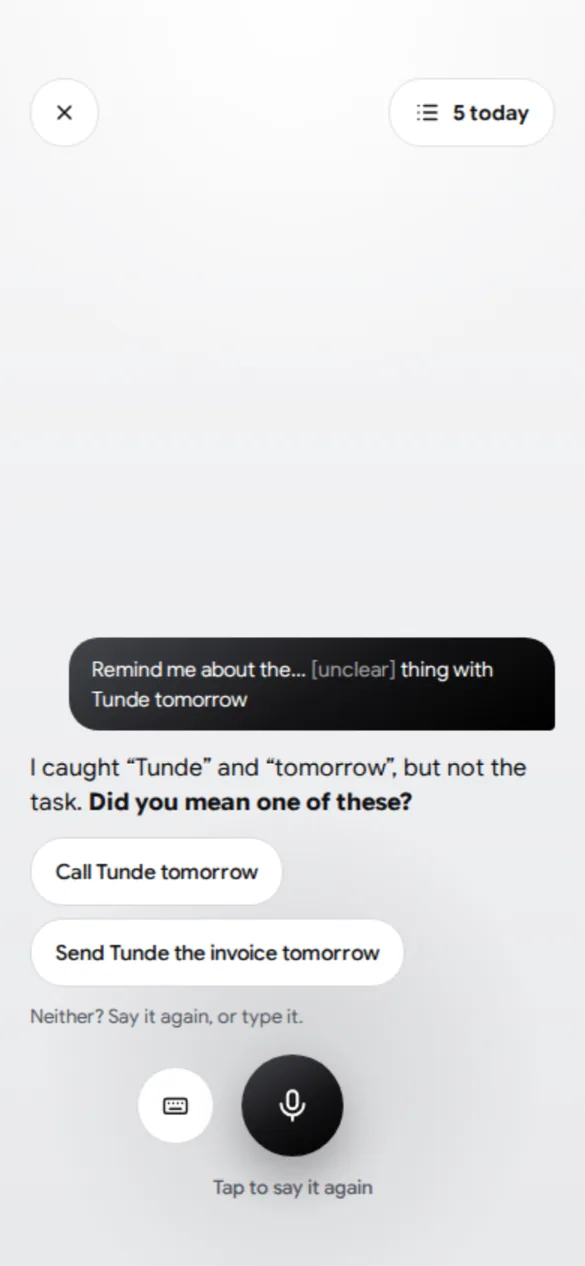
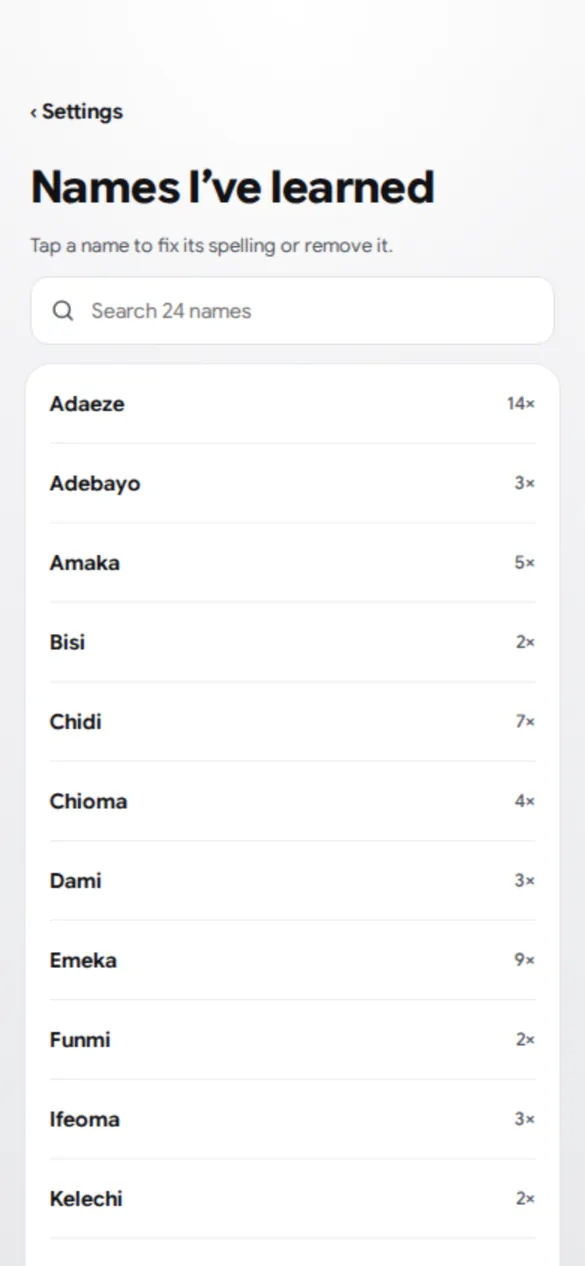
- Speech will mishearTranscription often misspells Nigerian names. Every voice task is confirmed before it’s saved, and new names are checked once, then remembered.
- Nagging drives people awayAn accountability app can easily become noise. Nudges are capped and can be switched off, and there are three check-ins a day, not constant pings.
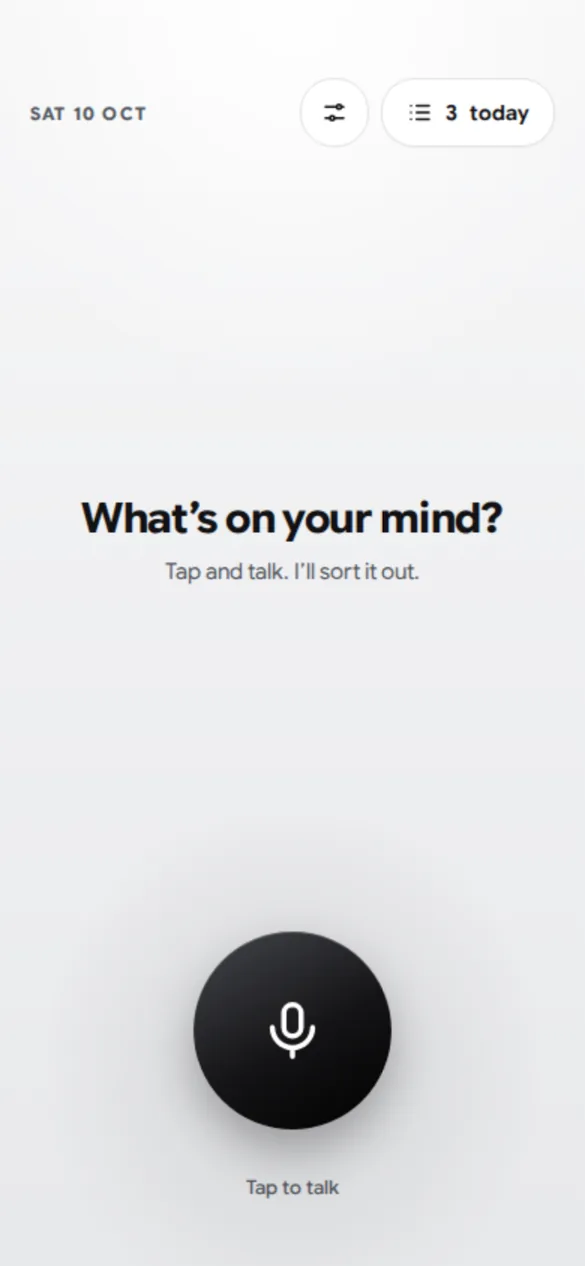
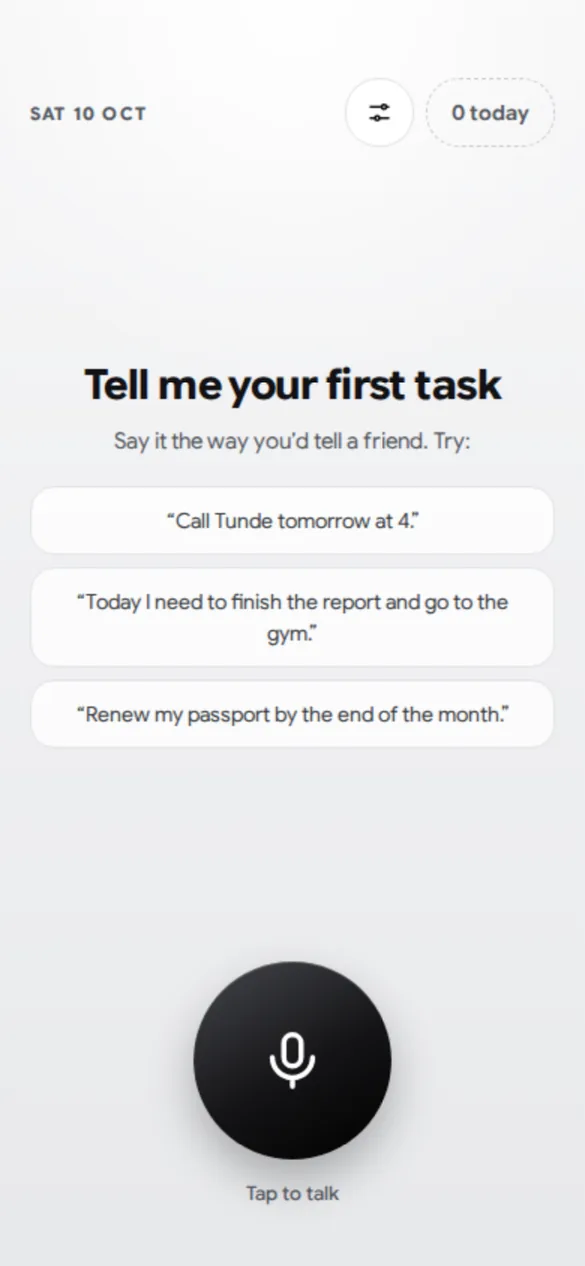
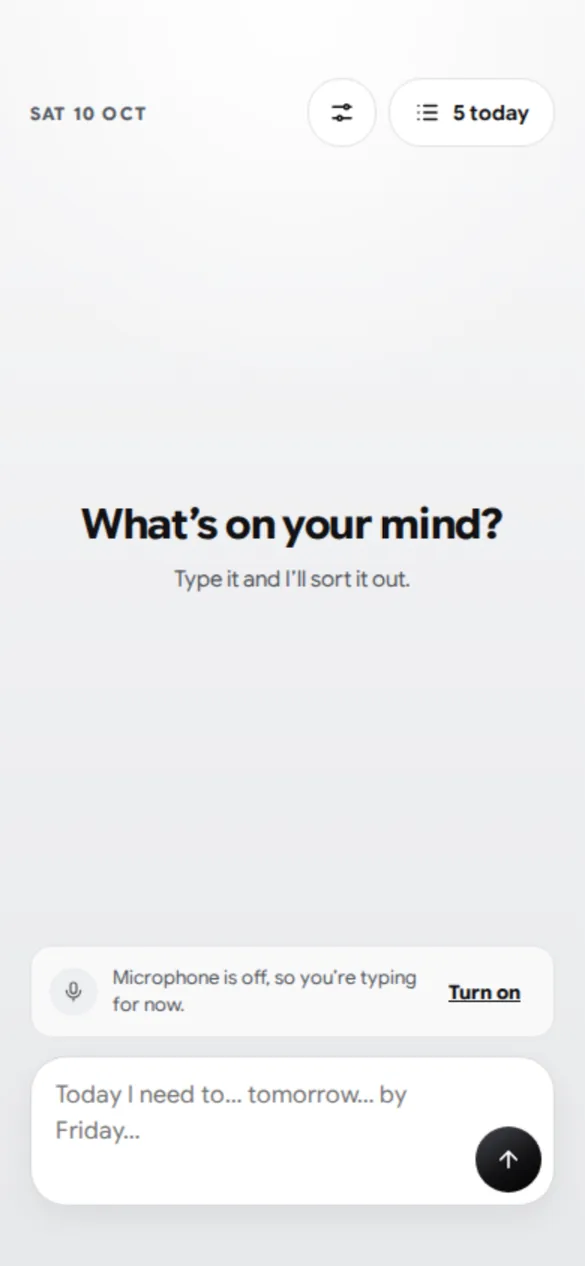
- Low effort, every dayIf logging a task takes work, people stop. Home has one action, talking, in a calm monochrome look with nothing else to read.
- iOS reminder limitsReminders are notifications scheduled ahead, and iOS holds only 64 at a time. Near tasks get alarms; distant ones go to Google Calendar.
- Build limitsA Windows laptop, no Mac and a small budget, so React Native and Expo with cloud iPhone builds.
My role
I owned the product end to end: the strategy, the design, the brand and the build. I used AI assistance for research, design and coding to move faster, and every decision was mine.
- Product strategy
- Information architecture
- UX flows and rules
- Visual design
- Brand
- Design QA
- Development
- DefinedThe concept, the MVP scope, the build order and business model ideas.
- DesignedThe information architecture, flows, behaviour rules and visual direction for 39 screens.
- BrandedChose the name, the monochrome identity and the font, and designed the logo system.
- ReviewedRan a 24-point QA of edge cases and logic gaps and made the call on each one.
- BuiltSet up the toolchain, Supabase and the GitHub repository, and developed the app with AI-assisted coding.
How it changed
The rejected versions shaped the final app as much as the ones that stayed.
- Too much on Home.The first Home showed everything at once. I cut it to almost nothing: one record button and a small “3 today” pill. No tab bar.
- Colour added load.A colourful gradient version made the app feel busy. I moved to black, greys and a touch of gradient.
- Built around real habits.I rely on alarms, so near-term tasks get a loud alarm while distant ones go to Google Calendar. A contacts feature was cut; learning Nigerian names stayed.
- Accounts got simpler.Sign-in went from its own screen, to merged with Calendar, to a fully optional “Sync with Google” with no account to create. The app says plainly that unsynced tasks stay on the phone.
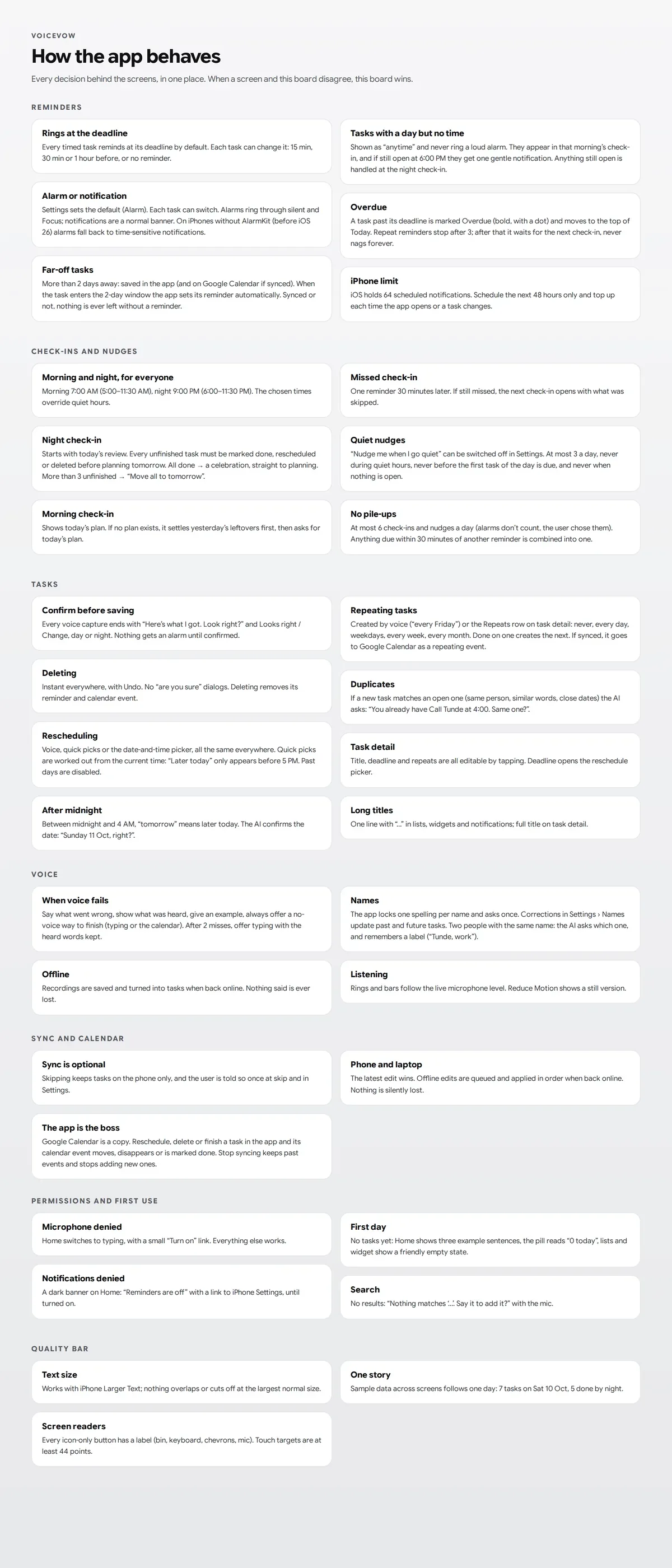
- Rules, screen by screen.One way to reschedule everywhere, reminders at the deadline, a night review before planning, priority removed, and a screen for every way voice can fail.
Talk, then confirm
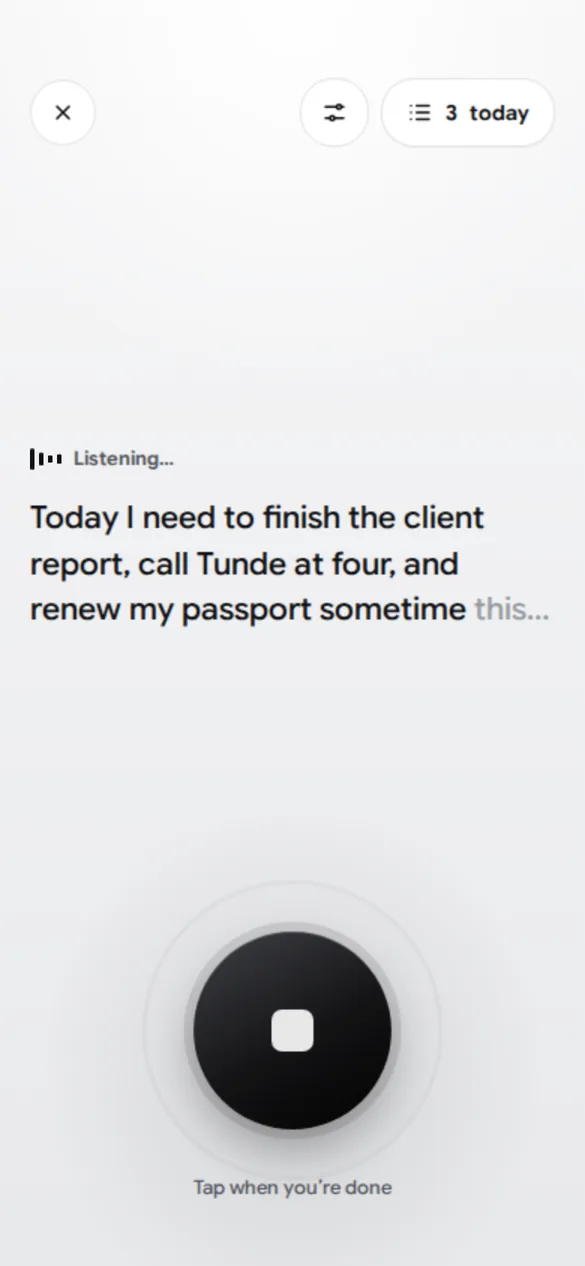
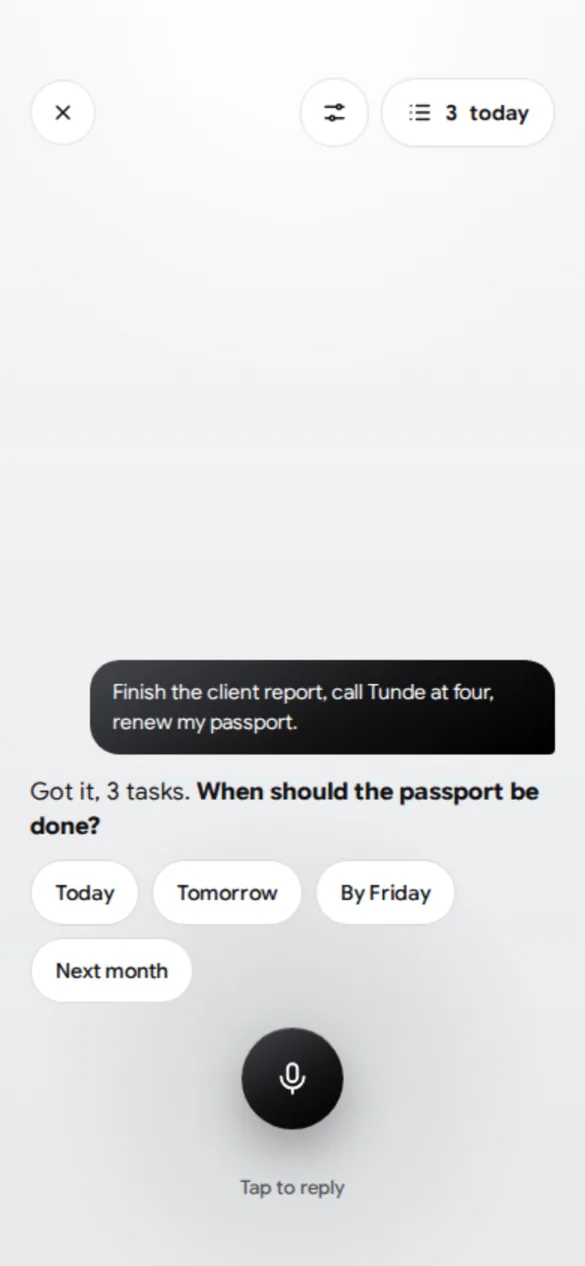
Home is nearly empty, because the main thing you do is talk. The AI asks follow-up questions for missing deadlines, then shows what it heard: “Here’s what I got. Look right?” A misheard task never gets a real alarm.
Tasks and reminders
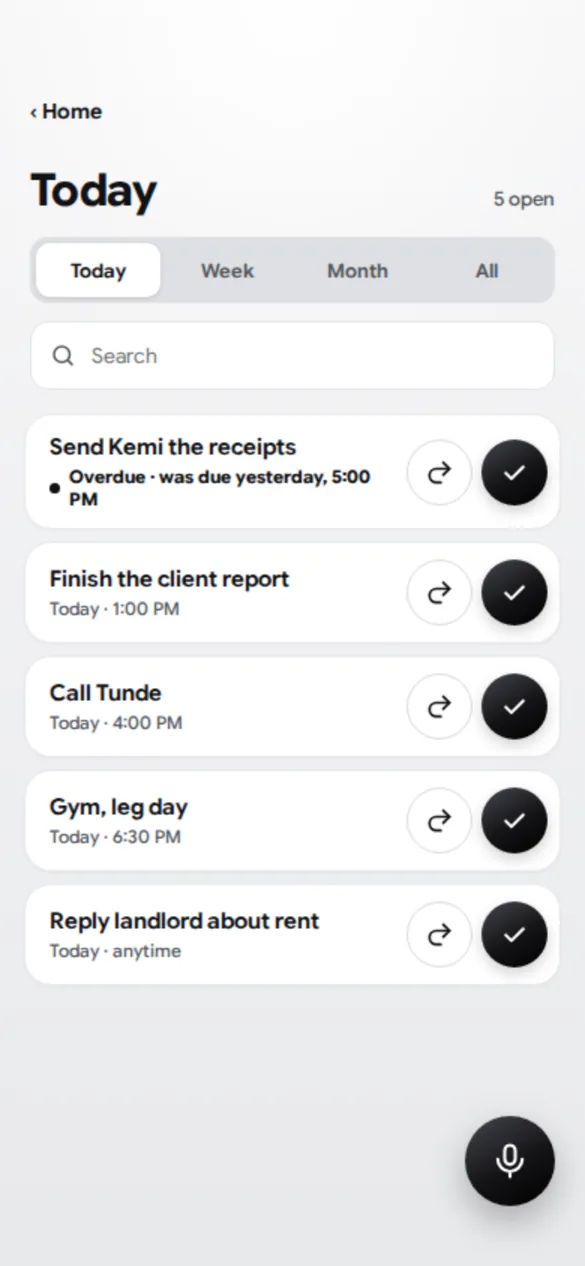
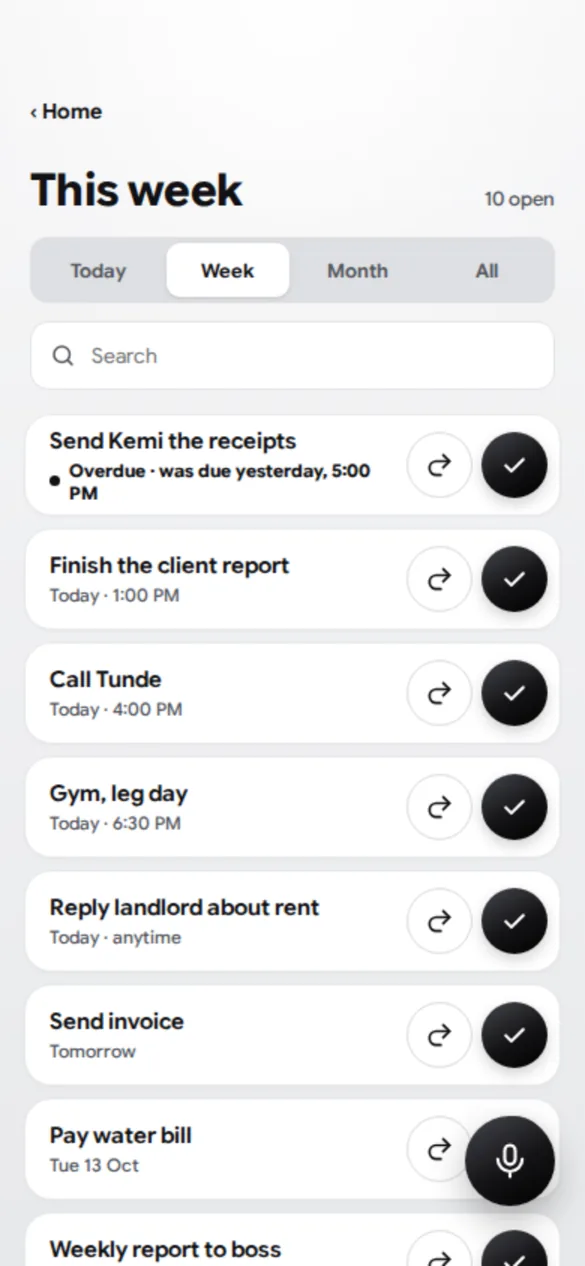
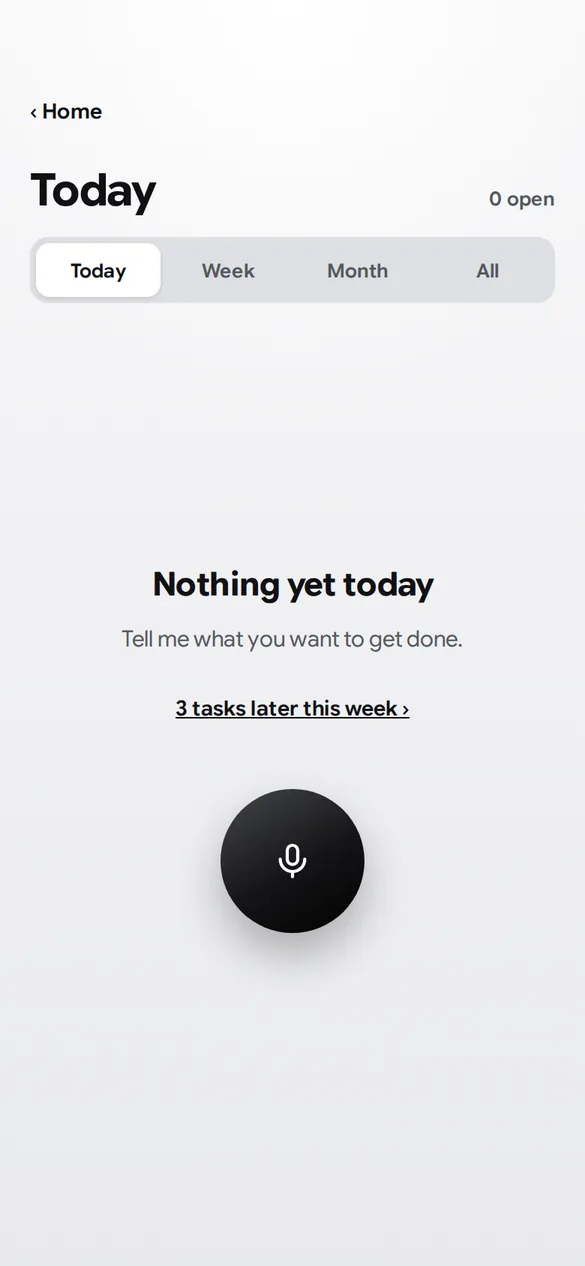
Overdue tasks come first, then the deadline decides the order. Every task can be done, rescheduled or deleted in one tap, and delete always has Undo instead of a confirm dialog.
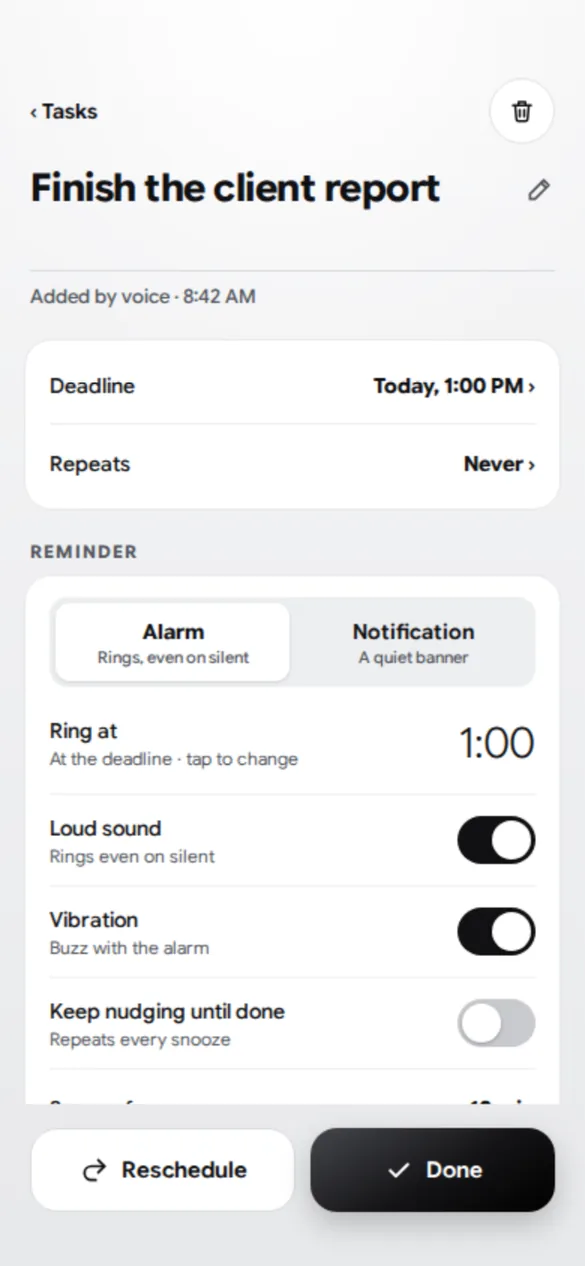
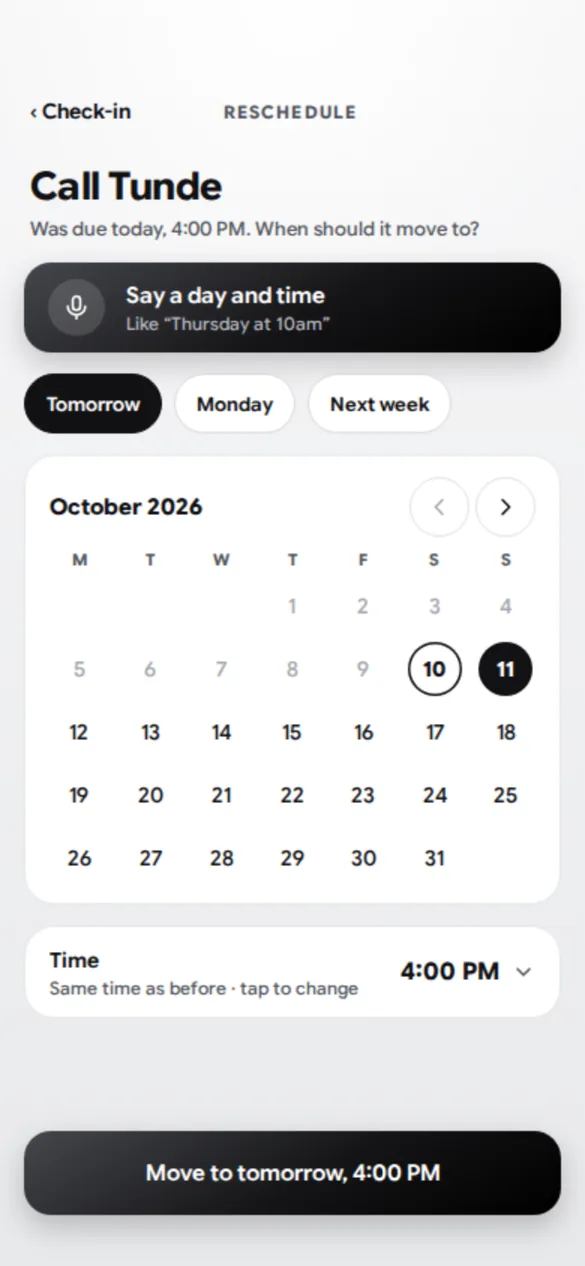
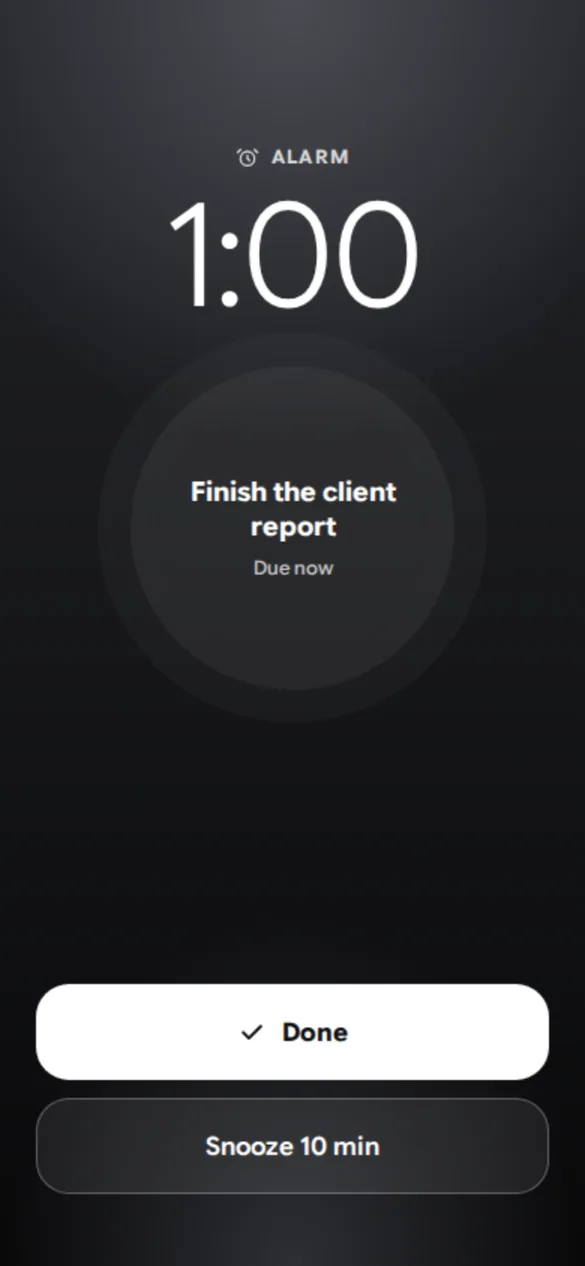
Check-ins
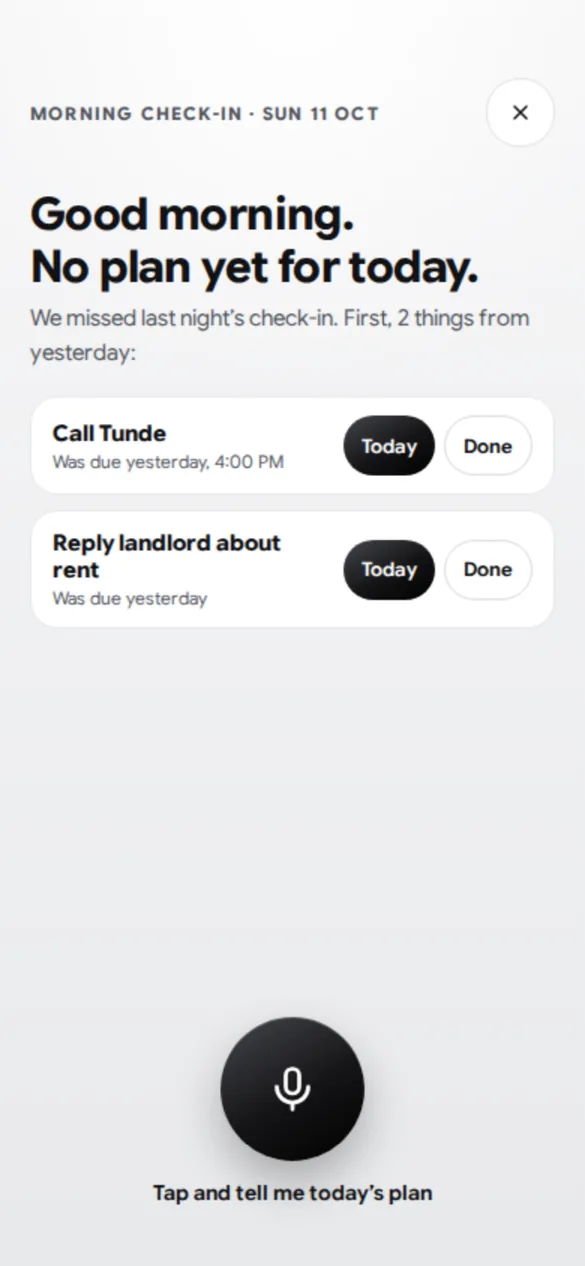
This is the accountability part. In the morning you get your plan. During the day it asks how things are going. At night it reviews today first, so unfinished tasks get done, moved or deleted instead of piling up, and only then plans tomorrow.
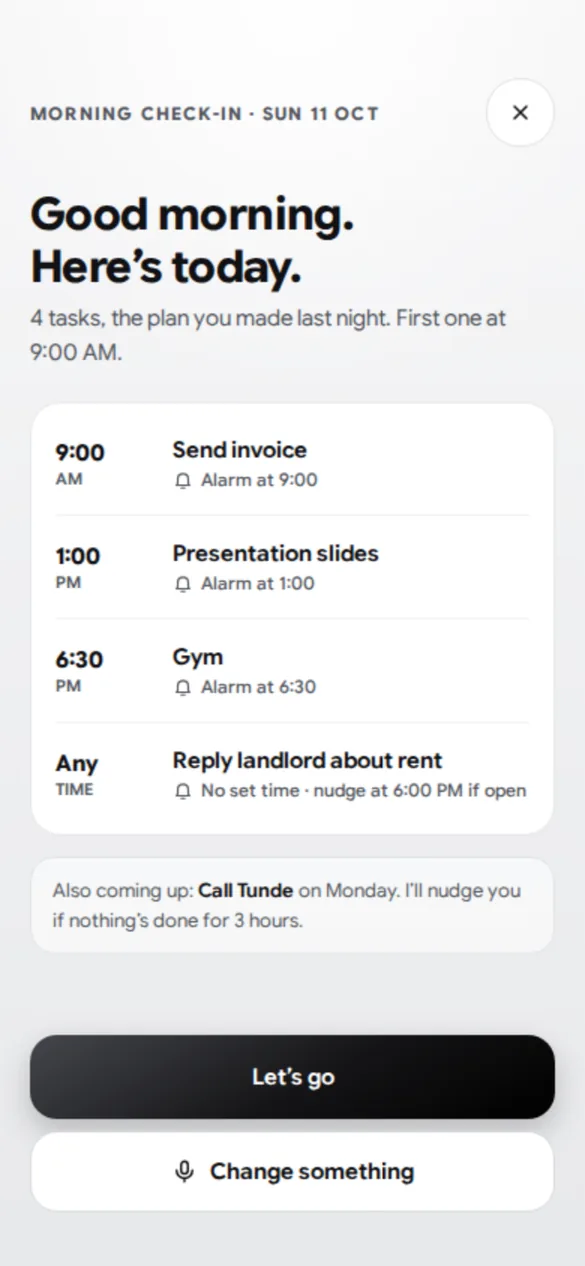
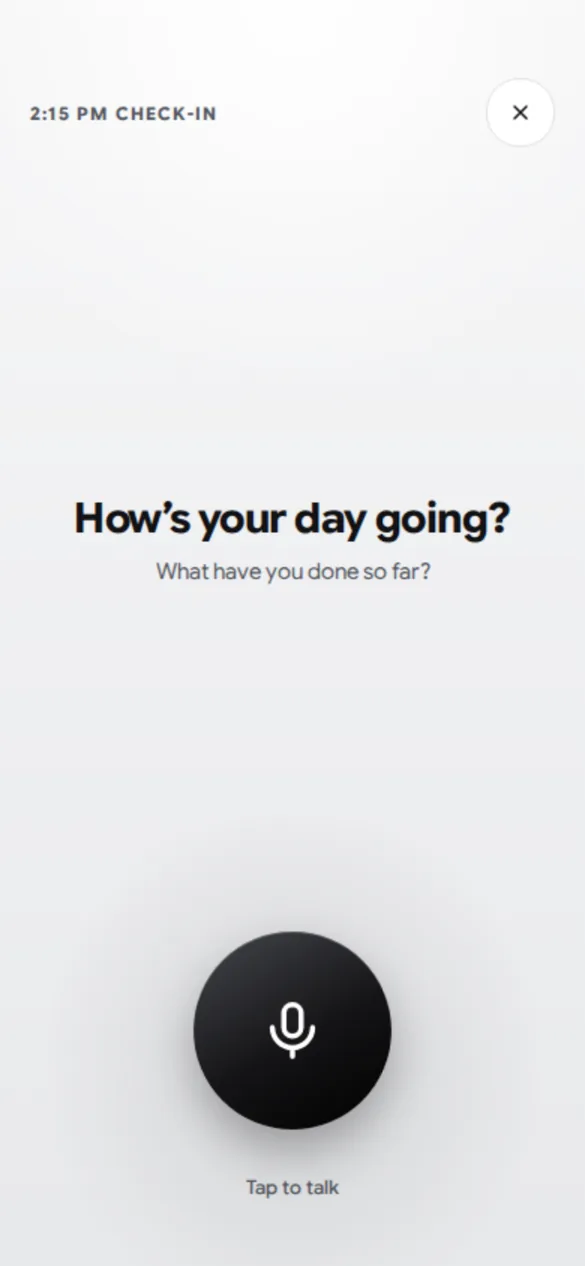
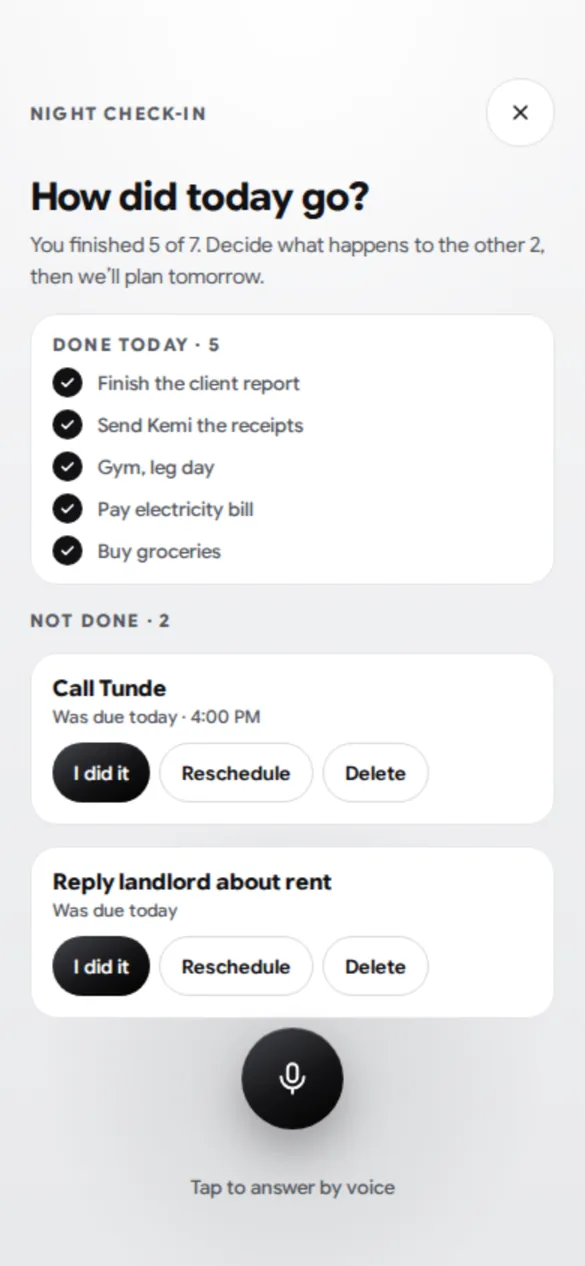
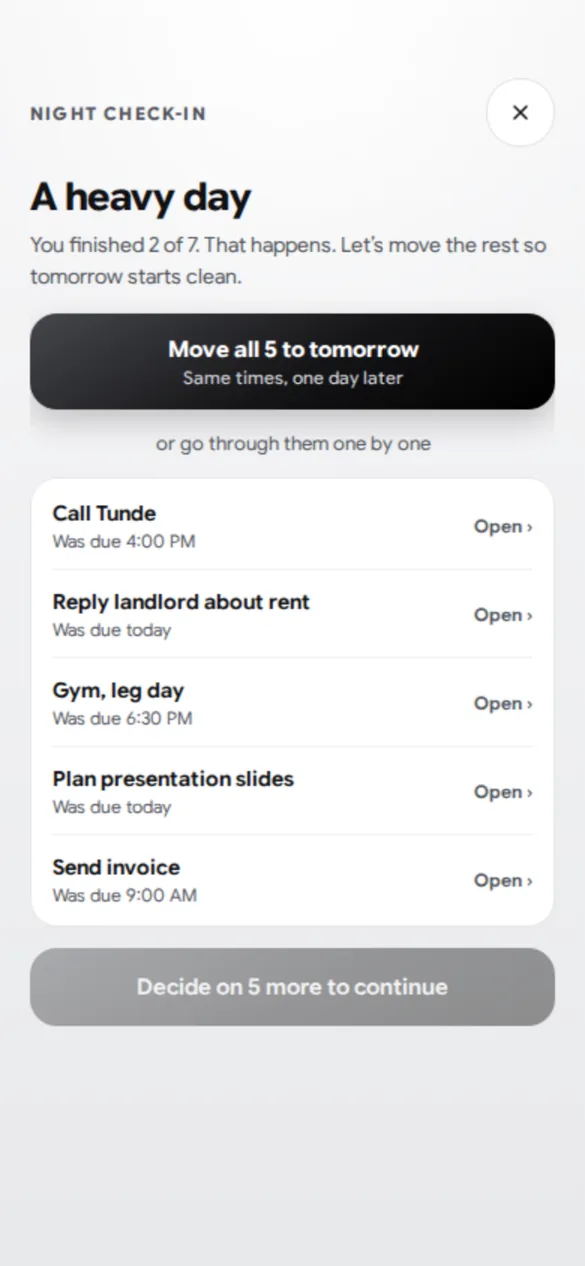
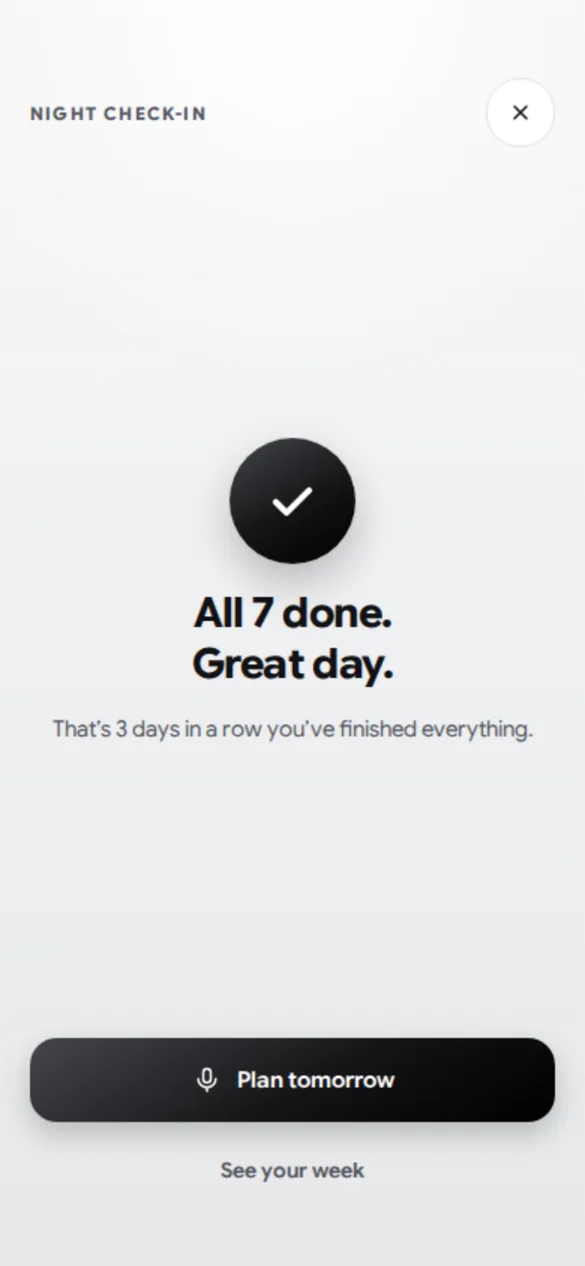
Nudges when you go quiet are capped and can be switched off, so the app stays a partner, not a nag.
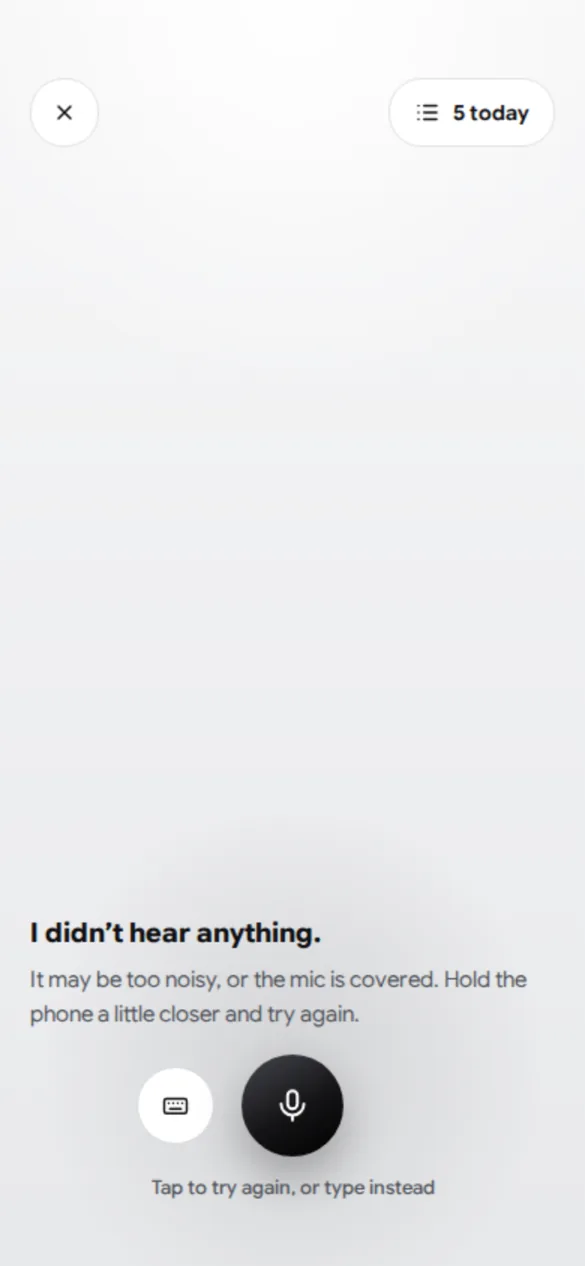
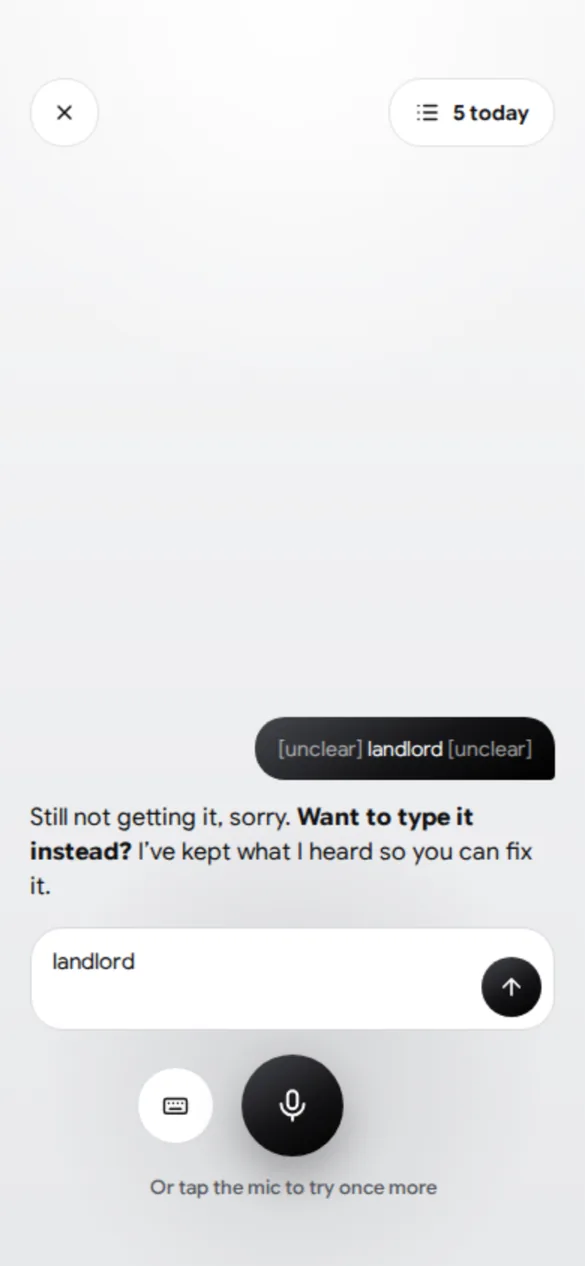
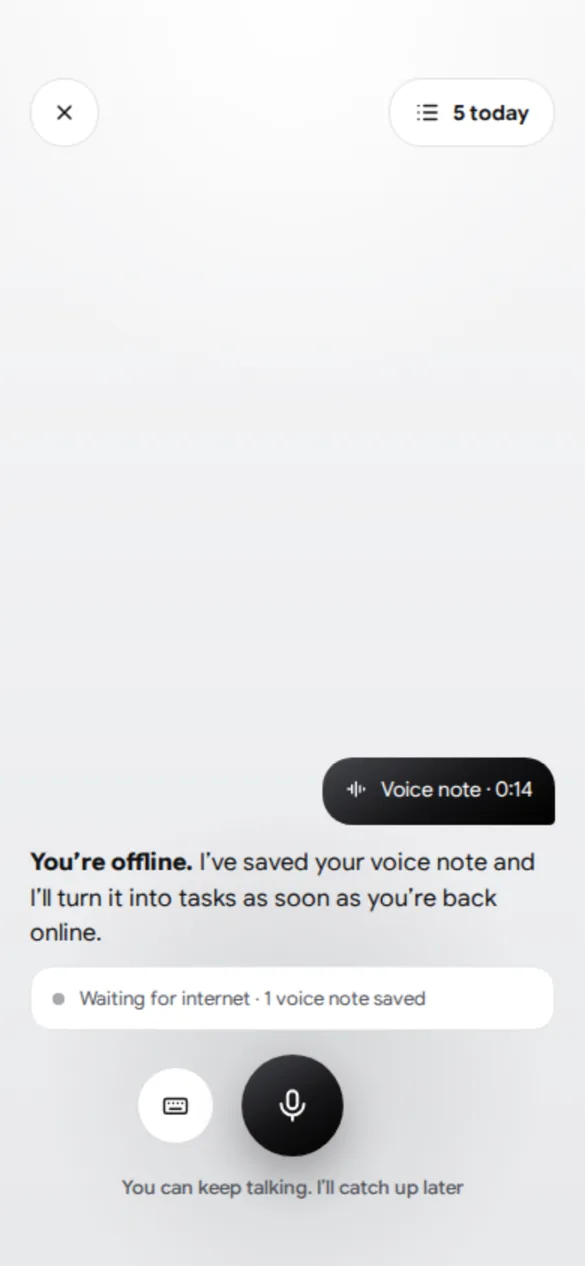
When voice fails
Speech recognition will miss sometimes. Every failure screen says what happened and always offers a way forward that doesn’t need your voice.
Key decisions
- Confirm before savingA misheard task must never get a real alarm.
- Alarms near, Calendar farMatches how I actually work, and avoids building a calendar.
- Optional sync, no accountNo sign-up friction. The risk, that tasks stay on the phone, is stated plainly.
- Priority removedIt changed nothing on screen. Deadlines decide the order.
- Review before planningUnfinished tasks shouldn’t pile up silently.
- Delete with UndoFaster than a confirm dialog, and still safe.
- AI only on the serverSpeech and task extraction run in a Supabase function, so API keys never sit in the app.
Brand
The mark is one continuous line that draws two V’s, you and your partner, and ends in a tick: said, then done. It also reads as a sound wave. The tagline is “Say it. Keep it.”
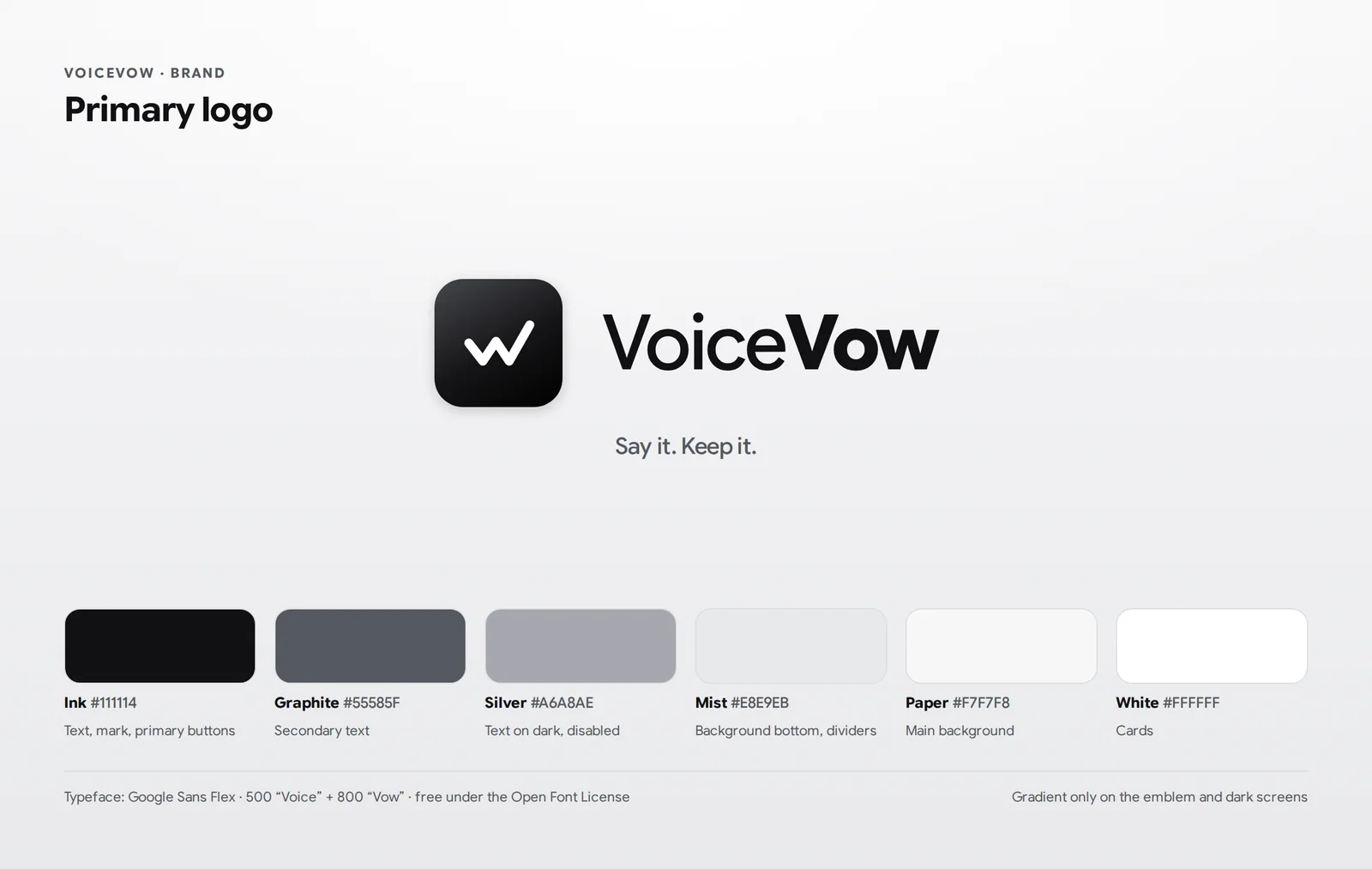
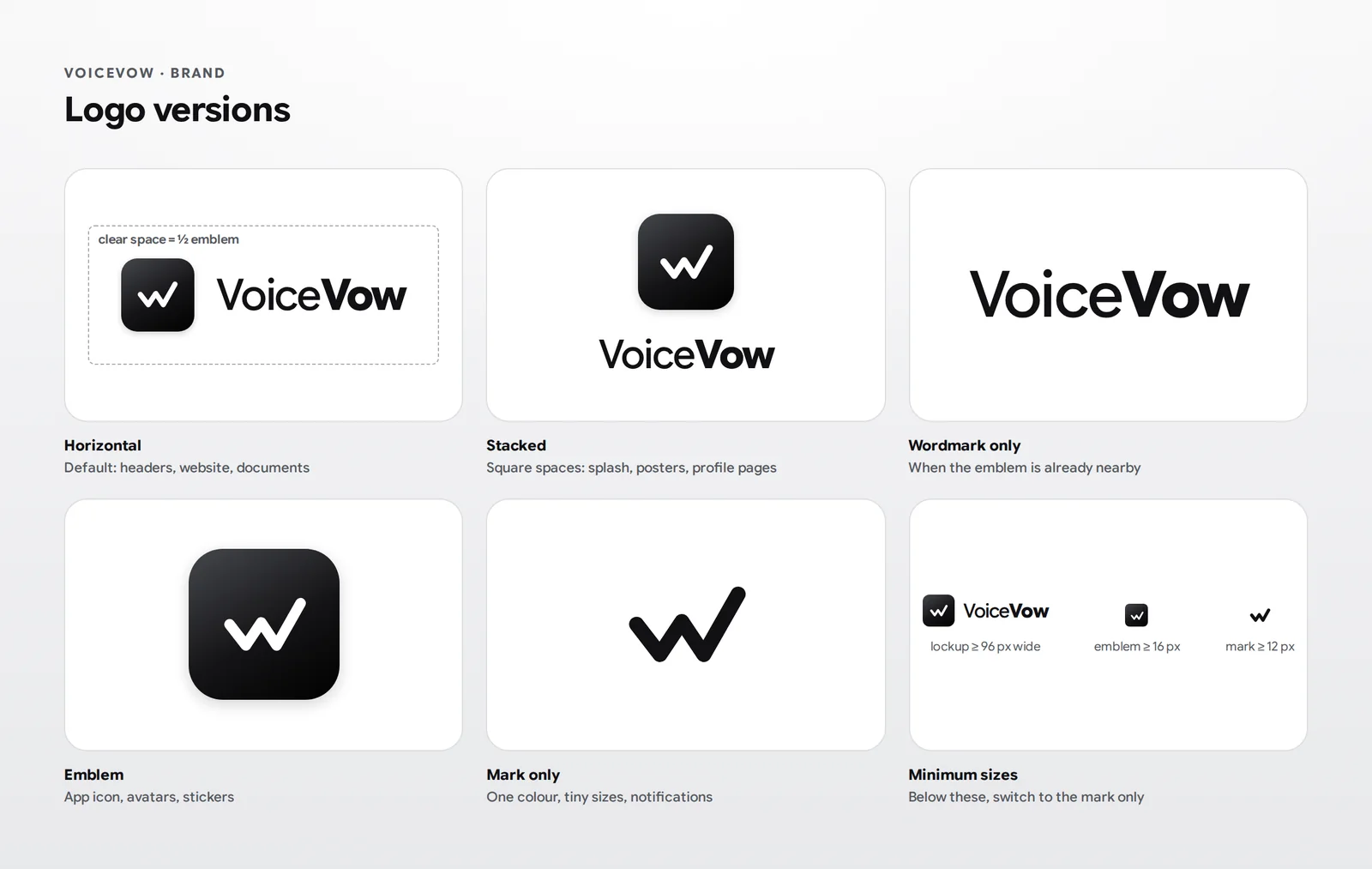
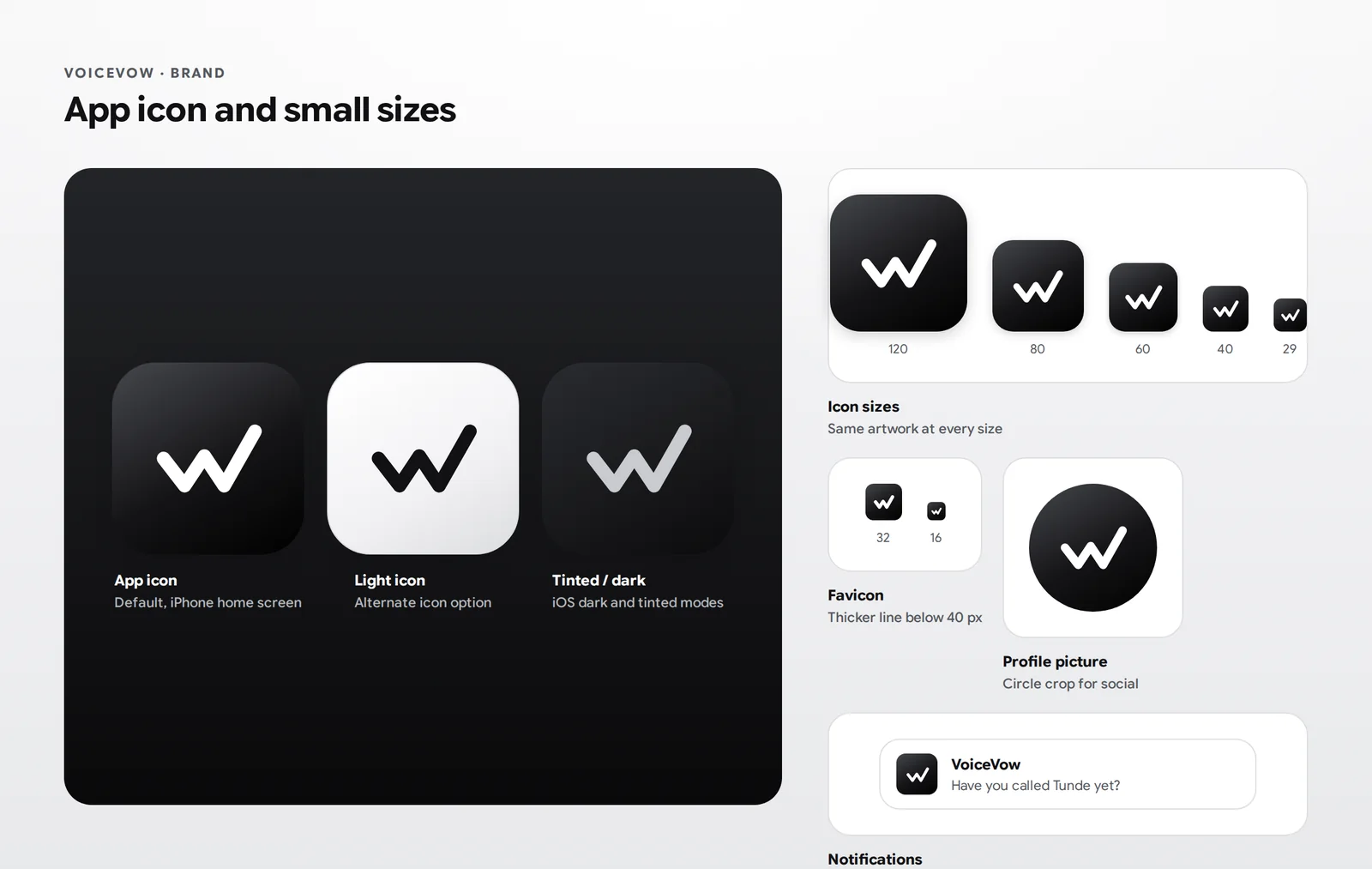
Set in Google Sans Flex: “Voice” at 500 and “Vow” at 800. It replaced Montserrat, which was only ever a placeholder.
Design QA
Before handover I ran a 24-point review: far-off tasks, quiet hours, tasks with no time, permissions denied, losing data without sync, overdue and repeating tasks, too many notifications, deletion, consistency and accessibility. Each one got a decision, a new screen where needed, and a line in the rules board engineers build from.
The build
React Native and Expo let me build for iPhone from a Windows laptop, with Android possible later from the same code. I set up the toolchain and built it with AI-assisted coding.
- AppReact Native, Expo SDK 57, TypeScript, Expo Router, Reanimated, Google Sans Flex.
- BackendSupabase: Postgres with Row Level Security, anonymous sign-in and Edge Functions.
- AI and voiceOpenAI speech-to-text and a small language model for pulling tasks out of speech, called only from the server.
- Running todayOn my iPhone in Expo Go: a working record button, a tasks table with access rules, anonymous sign-in and the voice function.
- PlannedGoogle sign-in and Calendar sync, AlarmKit alarms, App Store builds and a laptop web app.
Where it is now
VoiceVow hasn’t launched, and there are no users or test results yet. The design, spec and rules are done, and I’m now bringing the code in line with the final design.
My estimates, not results: about $120 for the first year, mostly the Apple Developer fee, and about half a cent of AI cost per voice note.
Try the prototype {{arrow}}