Pathra AI sidekick
A chat assistant inside Anutio that answers career questions, shows your skill gaps, builds a learning path and finds jobs that fit, then takes you to the page in Anutio where you can act on it. I designed it.
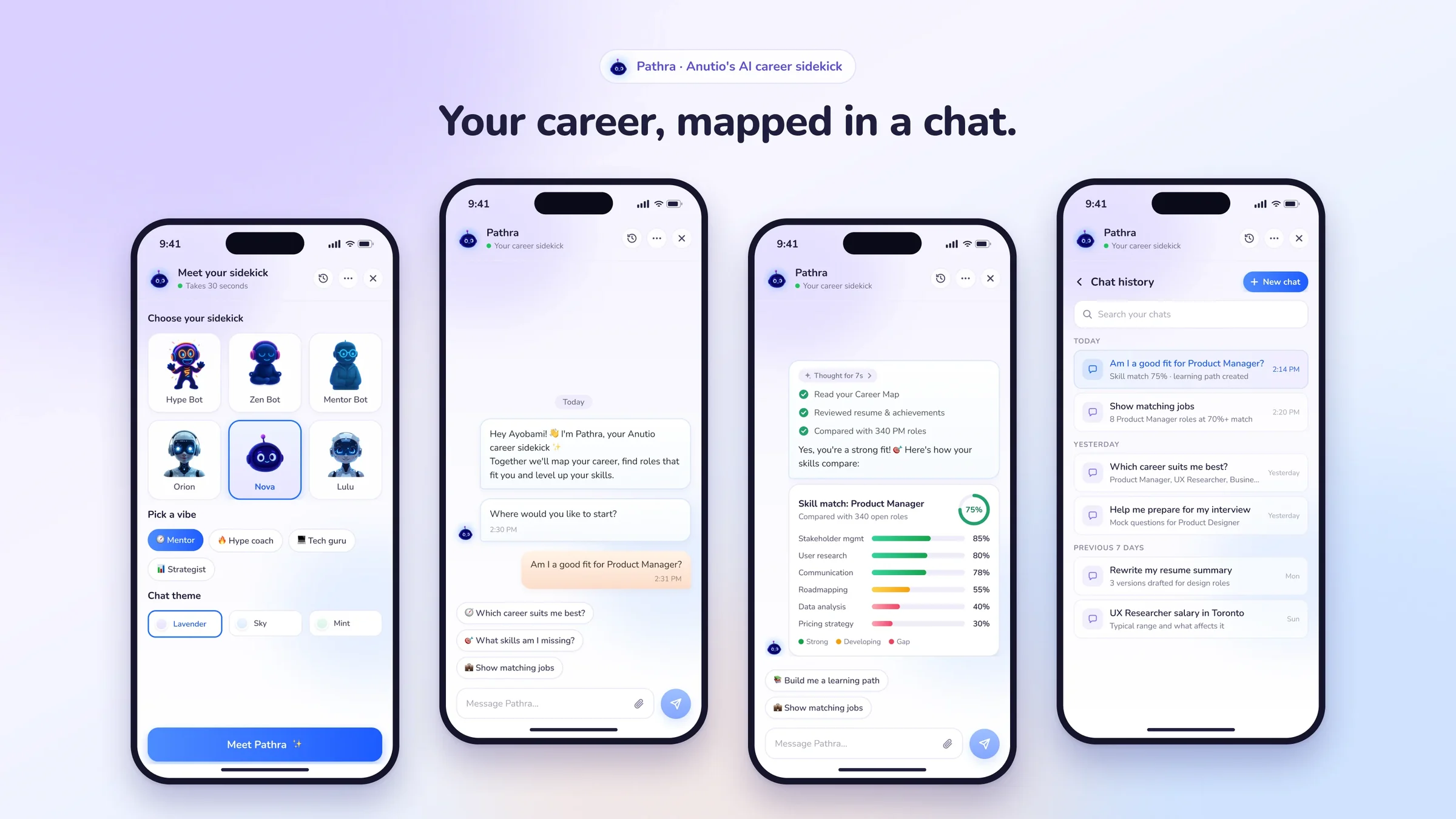
Overview
Anutio does a lot: career maps, learning, jobs, talent matching. Finding the right feature means knowing where it lives. Pathra lets people ask instead. In my words when I briefed it: “It’s an ai agent that helps you use all our features easily. It is an aid attached to you basically.”
Many features, many menus
Career Map, My Learning, Jobs and Talent Mapping each live on their own page.
Answers you can act on
Every answer should lead somewhere real in Anutio, not end as a paragraph of text.
Design stage
No user research or testing yet. All numbers in the screens are placeholders.
My role
I designed Pathra: the scope, the flows, the conversation, every screen and the component library. I used AI-assisted design tools in Figma to move faster. This is design work only; no code was written.
- Scope and flows
- Conversation design
- UI design
- Components
- Design critique
- Marketing images
- ScopedSplit employer and talent use cases, then focused the talent flow on starting from the Career Map.
- DesignedEvery screen and the reusable components, through three versions, including chat history in the panel and as a full page.
- CritiquedRemoved the “Ask AI” label from the launcher and asked for a lighter chat background.
How it changed
Every version was kept side by side, so each round of feedback was easy to compare and act on.
- Employer first.12 screens built on an existing “Chat bot start” component: skill gaps by department and recruitment briefs. It leaned too far to the employer side.
- Talent, from the Career Map.12 screens for individual talents: am I a good fit, what am I missing, build me a path, find me jobs.
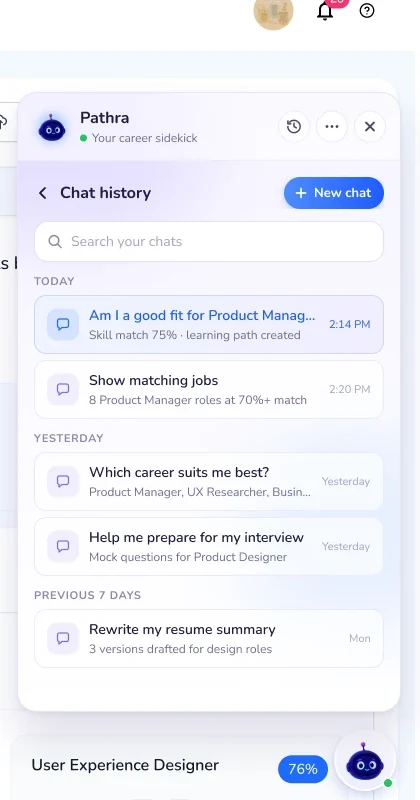
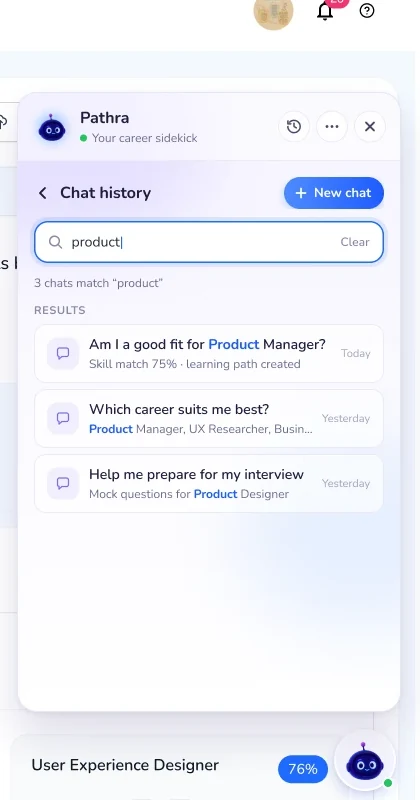
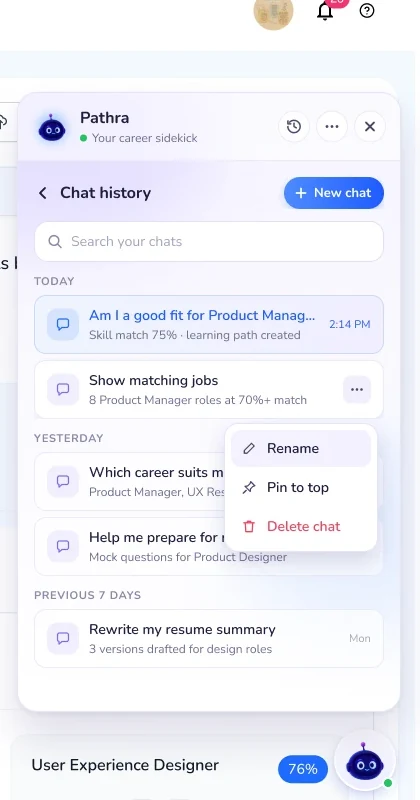
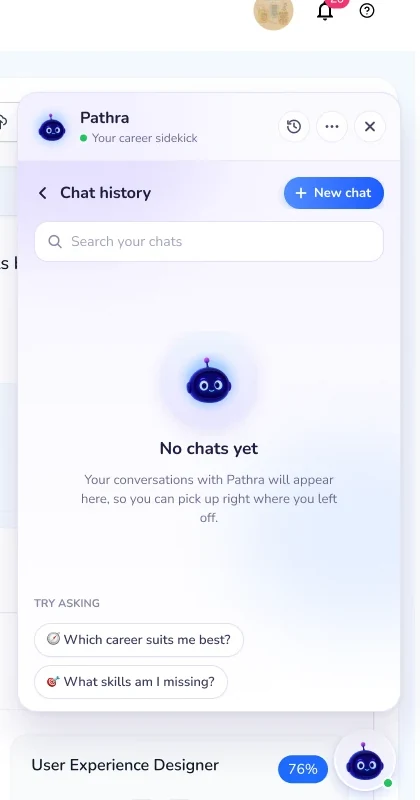
- Chat history.Six screens inside the panel: grouped by date, searchable, with rename, pin and delete.
- A new interface.A new visual direction, rebuilt with no text on the launcher and a much lighter panel. 18 screens.
- A full-page history.Stakeholders wanted history “just the way every chat box is like Claude and ChatGPT”. I added a full page and kept the panel version too.
First open
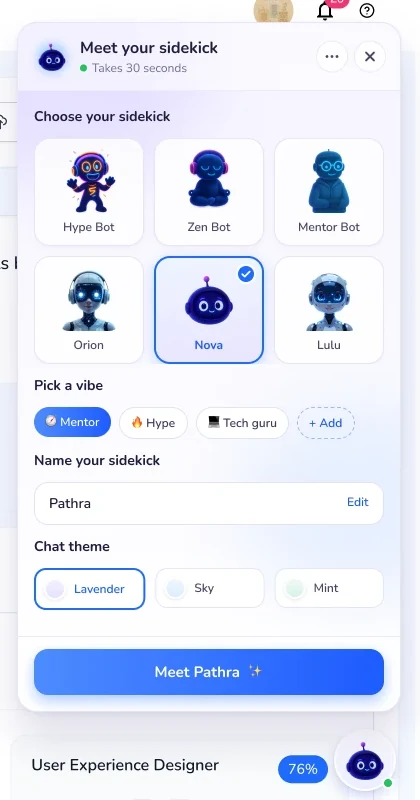
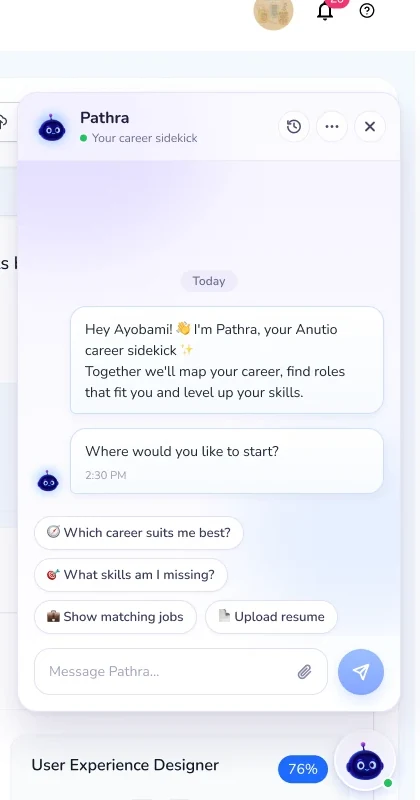
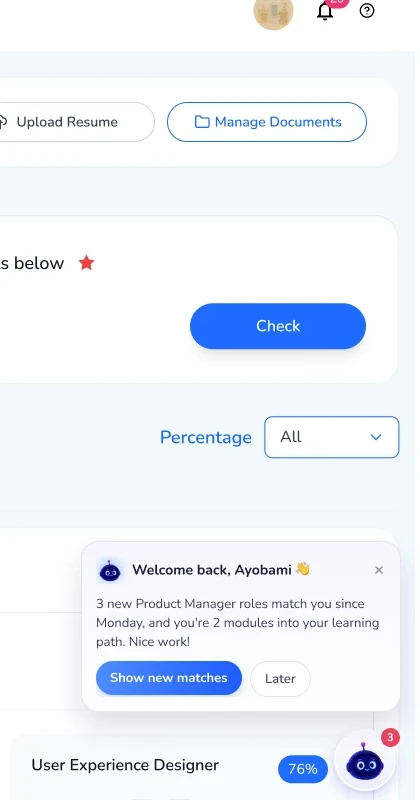
Pathra waits as an avatar in the corner of every page, with no label. The first time it opens, you pick your sidekick, a vibe, a name and a chat theme. After that it greets you with questions you can tap, and welcomes you back with what changed while you were away.
Ask, think, answer
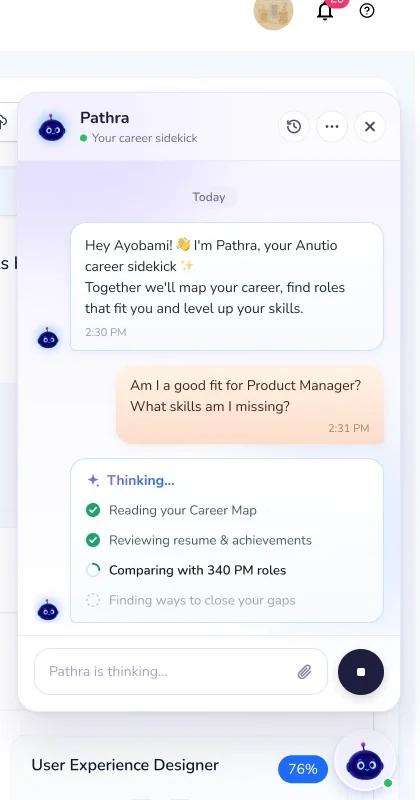
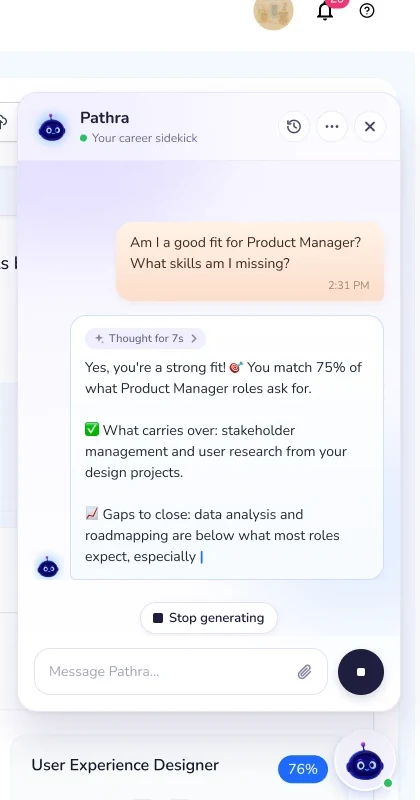
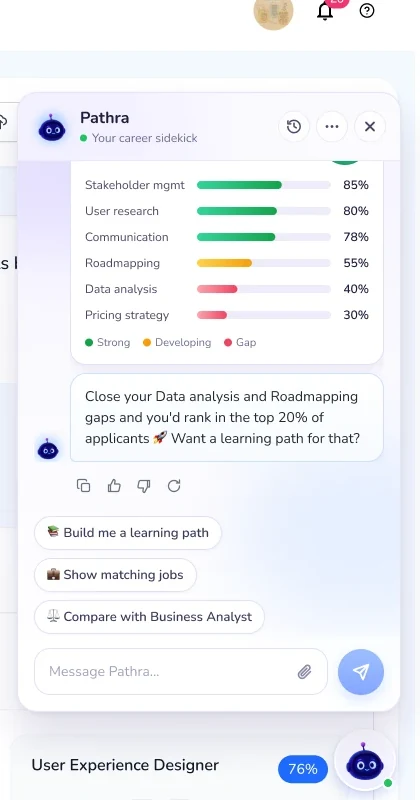
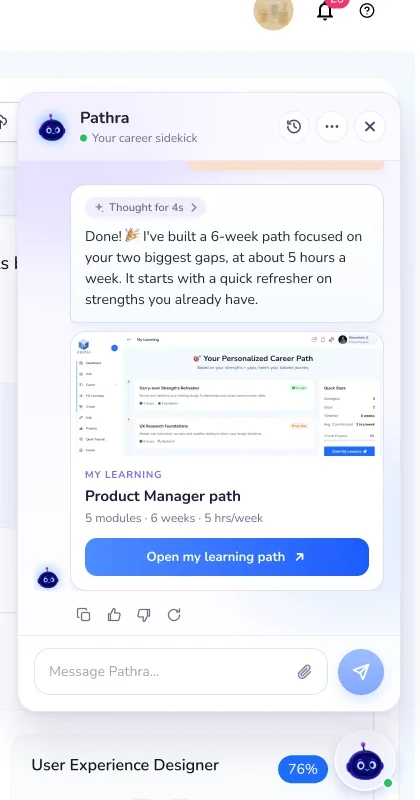
While Pathra works, it shows each step it’s taking, and you can stop it. The answer streams in, then turns into something you can use: a skill-match chart, a learning path or a list of matching jobs, each with next-step chips.
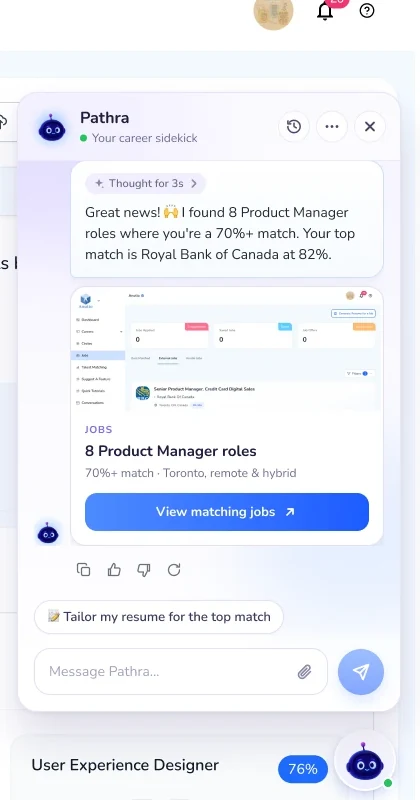
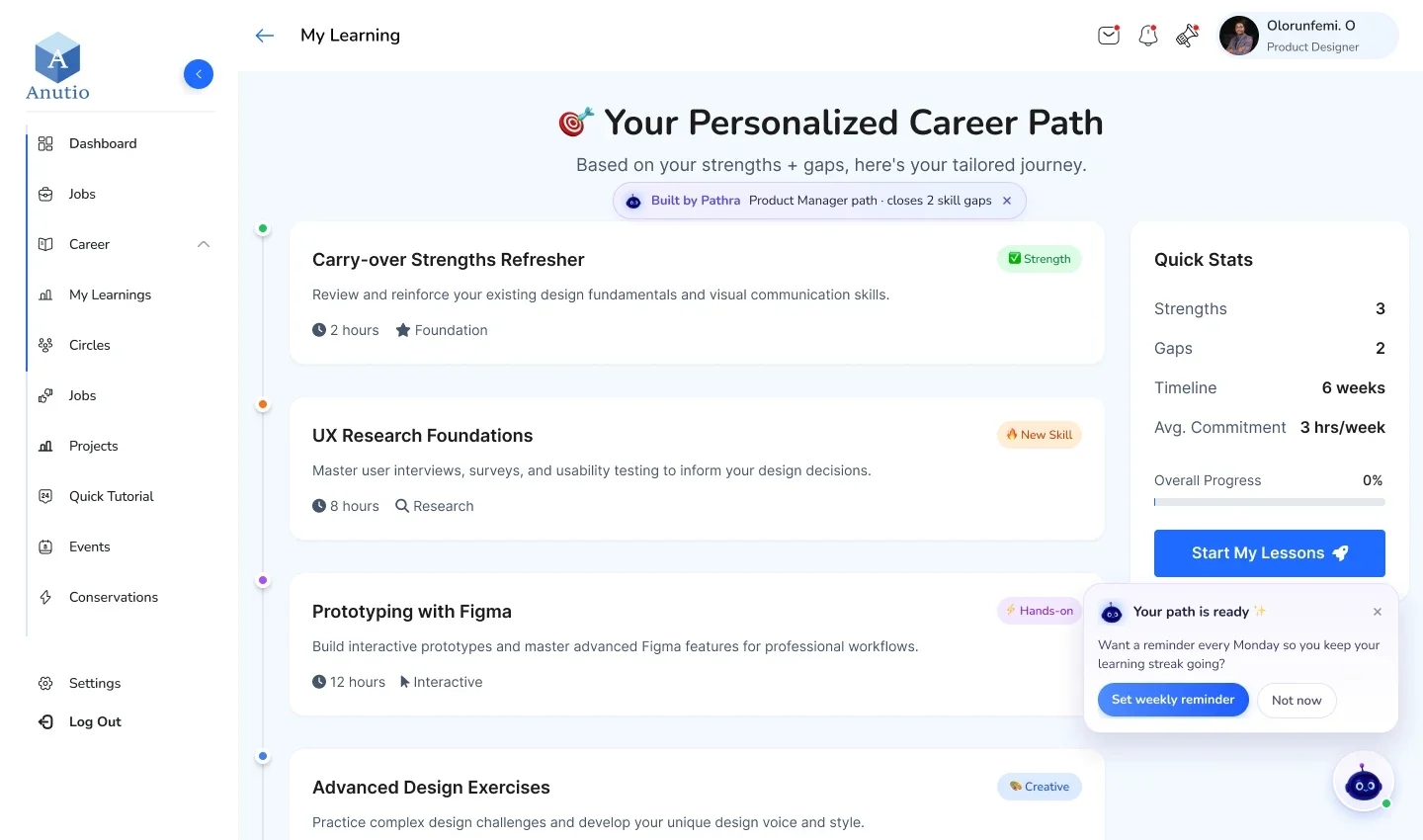
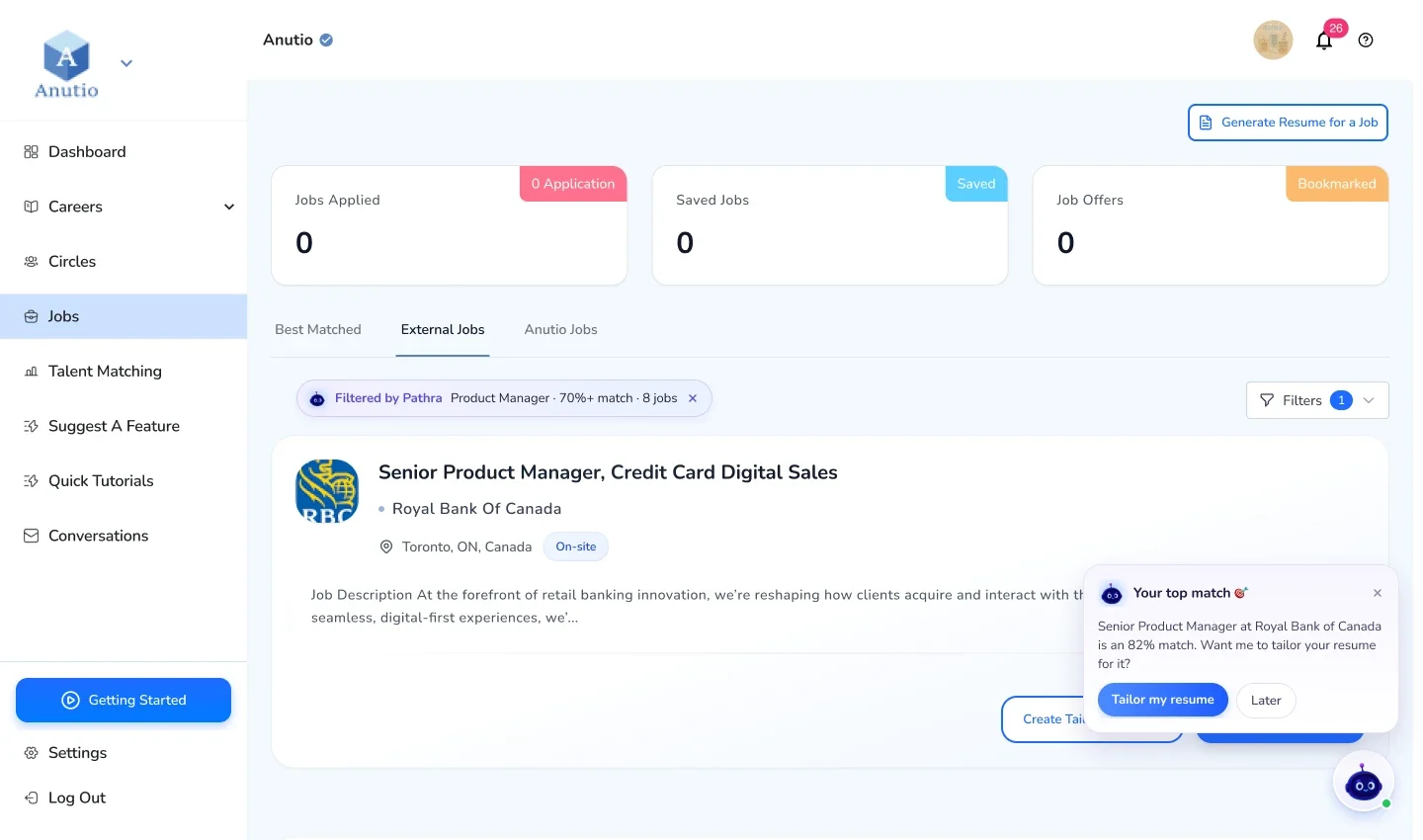
Answers you can act on
Result cards show a preview of the real Anutio page and open it already filtered, marked “Built by Pathra” or “Filtered by Pathra”. Pathra stays docked beside the page with a next step, like a weekly reminder or tailoring your resume for the top match.
Chat history
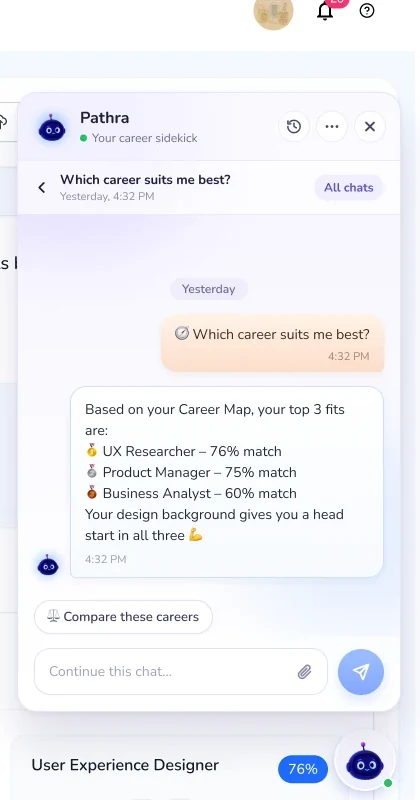
Past chats are grouped by date, searchable, and can be renamed, pinned or deleted. A reopened chat picks up where you left off. The full page gives long conversations room, with the chat list on the left.
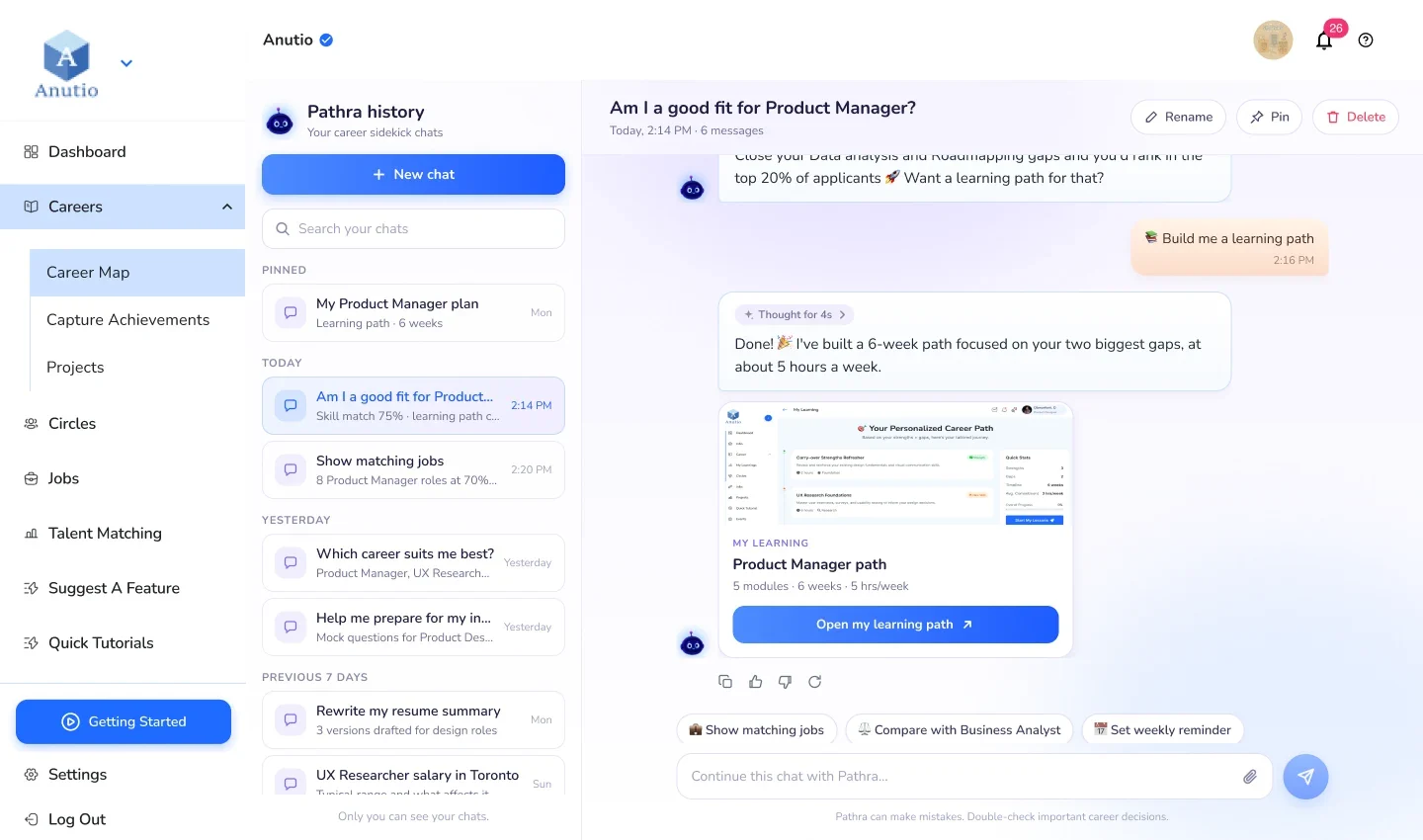
Building trust
Career advice from an AI needs to earn belief. The design shows its work instead of asking for blind trust.
- Visible steps“Reading your Career Map”, “Comparing with 340 PM roles”, then a “Thought for 6s” line you can open.
- You stay in controlStop generating at any time, and copy, rate or retry any answer.
- Answers tied to real pagesEvery result links to the Anutio page it came from, so you can check it there.
- Confirm before sendingIn the employer flow, a recruitment brief is shown for review before it goes to Anutio’s team.
- An honest footer“Pathra can make mistakes. Double-check important career decisions.”
Design system
Anutio blue for actions and Nunito for text, so Pathra feels part of Anutio. Soft lavender and peach give the chat its own warmth. The panel is 384 by 620 on desktop, with 20px corners and 16px bubbles.
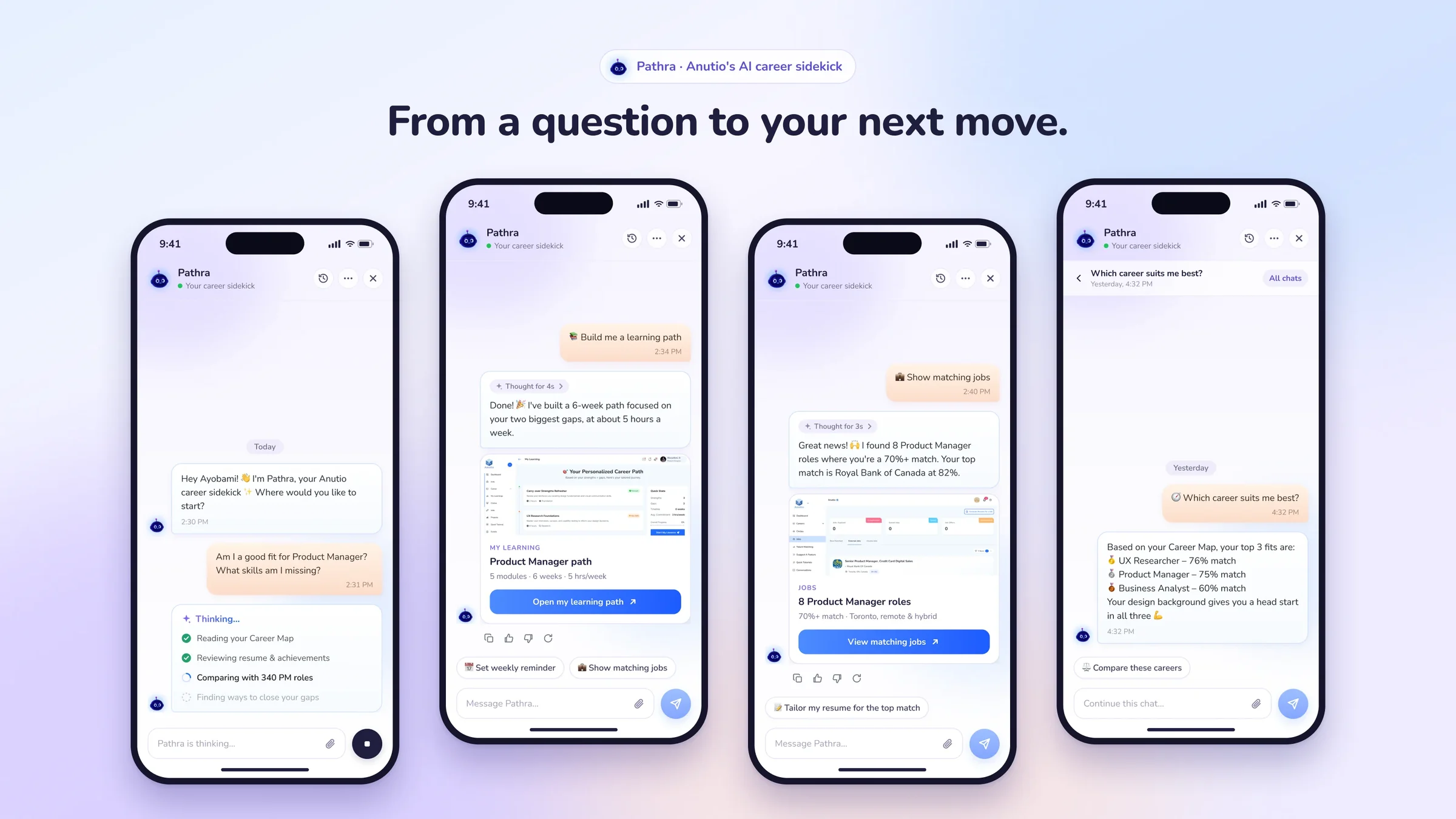
The two showcase images are marketing mockups on phones. A mobile product flow hasn’t been designed yet.
What’s next
Pathra is at design stage. Nothing has been tested with users, and it isn’t live. These are the gaps I’d design next.
- When things go wrongErrors, offline, no answer and rate limits.
- GuardrailsWhat Pathra won’t answer, how it handles off-topic or rude messages, and handing over to a person.
- PrivacyA clear notice and a way to delete your chat data.
- Vibes that mean somethingDefine how Mentor, Hype coach, Tech guru and Strategist change Pathra’s tone.
- Mobile and dark modeA real mobile flow, and a dark theme.
- TestingUsability tests with talents, plus accessibility and contrast checks.
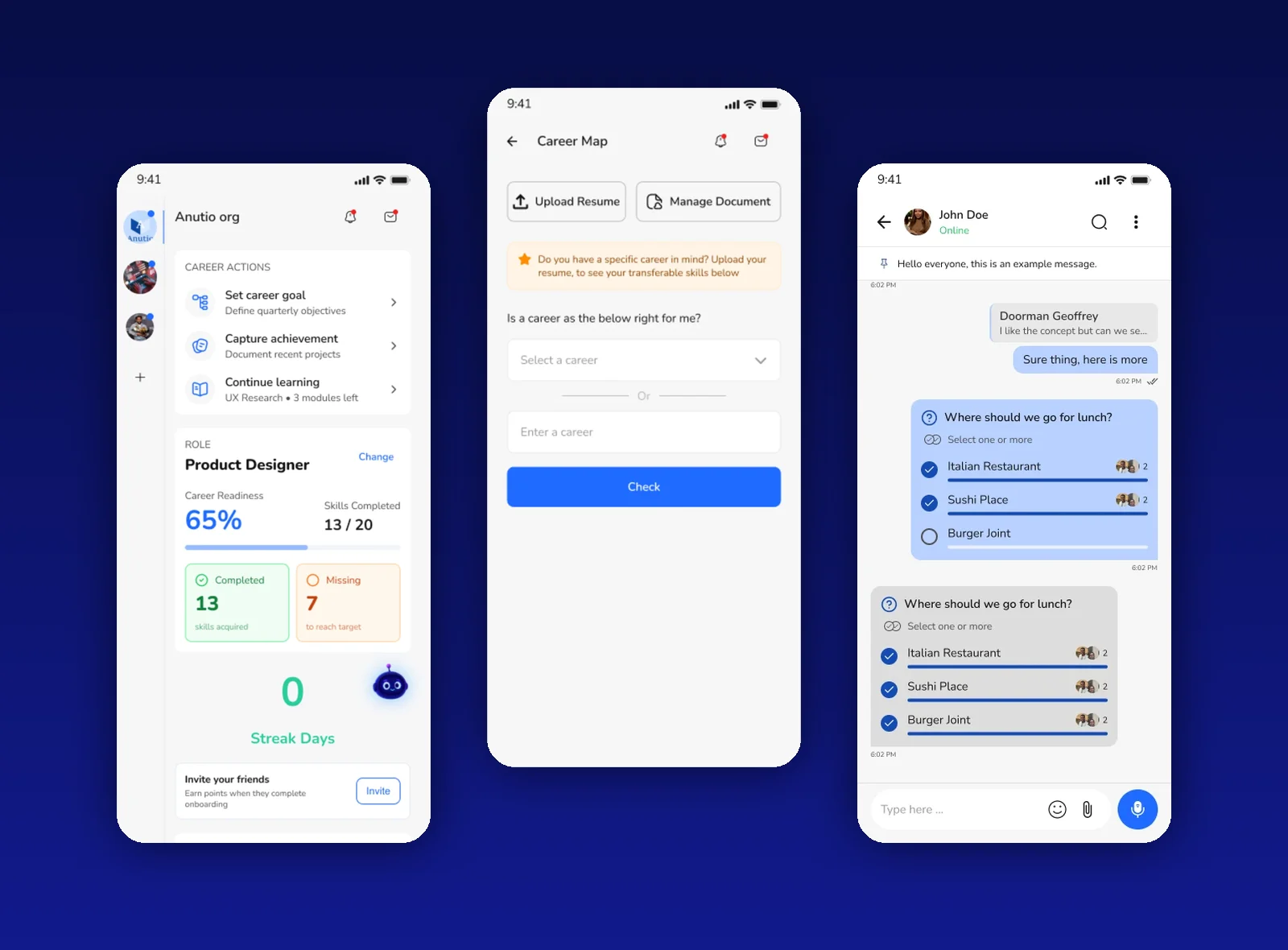 Anutio Mobile App
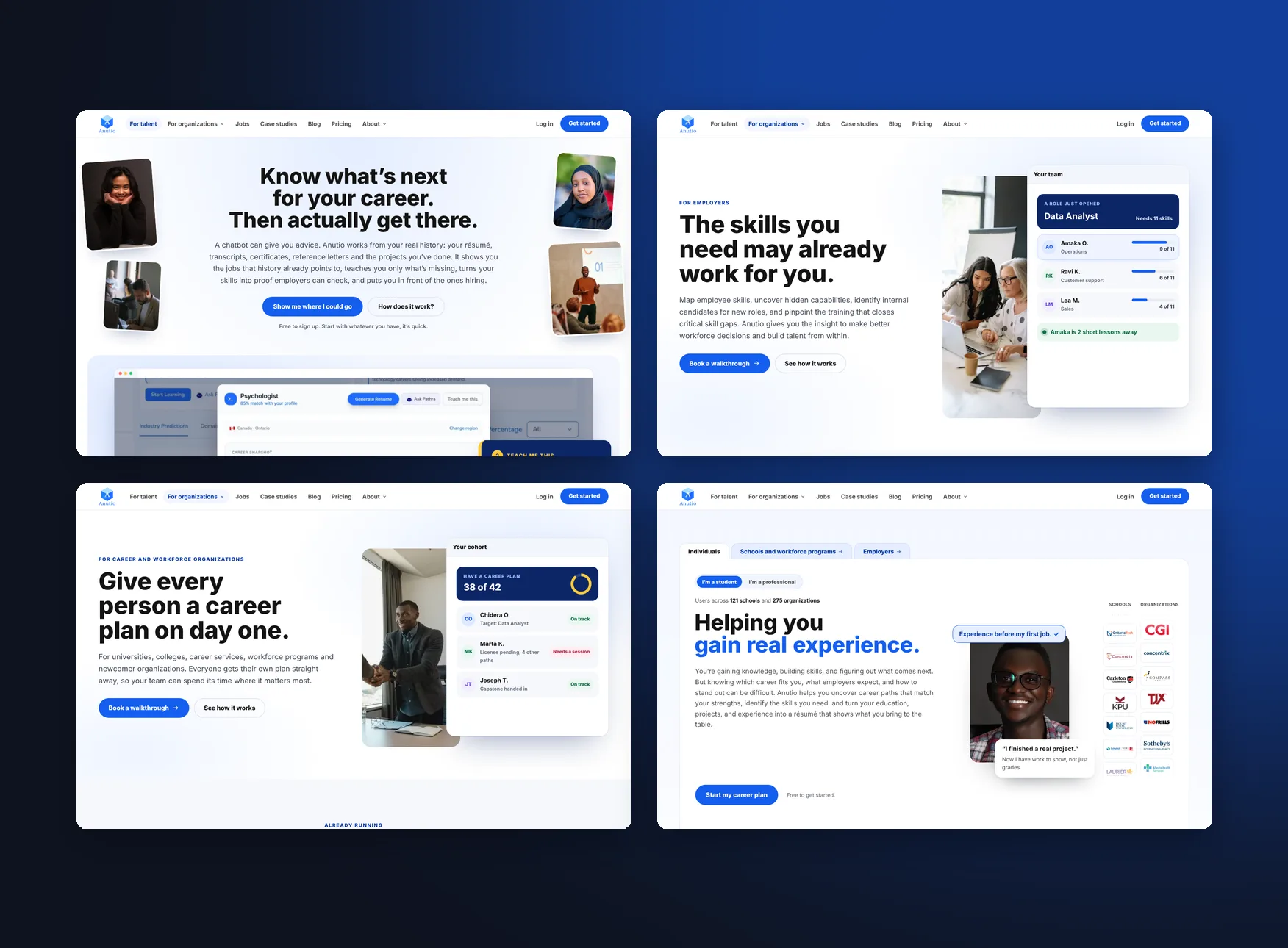 Anutio Website